Most small business owners spend weeks setting up a CRM only to realize they chose the wrong one.
Before you commit to HubSpot, Zoho CRM, or Pipedrive, here’s what you need to know.
What Is a CRM for Small Business?
A CRM (Customer Relationship Management) system helps small businesses manage customer interactions, track leads, and automate communication. For small businesses, a CRM is essential for organizing contacts, improving follow-ups, and increasing sales efficiency.
Before diving into the top tools, you might want to understand the basics. Check out our 2026 beginner guide on what is the best CRM for small business to see how these tools can transform your workflow.
The Mistake I Made When Choosing My First CRM
Want to avoid the same mistake?
The CRM Decision Kit helps you compare CRM platforms before you spend hours setting them up.
When I first started looking for a CRM, I made the same mistake many small business owners make.
I picked a CRM based on online recommendations without really comparing the options.
At first it seemed like the right choice.
But after spending hours setting it up, importing contacts, and learning the system, I realized it wasn’t a good fit for the way my business actually worked.
The biggest cost wasn’t the software subscription.
It was the time I wasted.
After trying several CRM platforms, I learned that choosing the right CRM is less about finding the “best” CRM and more about finding the right CRM for your specific business.
That’s why I eventually created a simple CRM comparison framework to evaluate tools like HubSpot, Zoho CRM and Pipedrive before making a decision.
Quick Comparison
| CRM | Best For |
|---|---|
| HubSpot | Simple Setup |
| Zoho | Flexible Workflows |
| Pipedrive | Sales Pipelines |
Which one is actually best for your business? It depends on your team size, sales process, and future growth plans.
Still Not Sure Which CRM Fits Your Business?
👉 Different businesses need different CRM systems.
A local service business may prefer HubSpot.
A sales-driven team may prefer Pipedrive.
Businesses focused on customization may prefer Zoho CRM.
That’s why comparing the options before making a decision is important.
Why Small Businesses Need a CRM System
Many small businesses initially manage customer information using spreadsheets, emails, or notes. While this may work at the beginning, it quickly becomes inefficient as the business grows.
A CRM system allows businesses to:
- organize customer contact information
- track communication history
- manage sales pipelines
- automate follow-up reminders
With a CRM, business owners can focus on building relationships instead of managing scattered information.
If you’re also exploring automation tools, you may want to read our guide on AI tools for local businesses, which explains how technology can improve efficiency.
7 Best CRM for Small Businesses
Below are some of the most popular CRM tools suitable for small businesses.
1. HubSpot CRM
Image source: HubSpotBest for: businesses that want a powerful free CRM
HubSpot CRM is one of the most widely used CRM platforms and offers a generous free plan.
Key features:
- contact management
- email tracking
- sales pipeline management
- marketing integrations
HubSpot is a great starting point for small businesses looking for a reliable CRM solution.
To automate your customer outreach, you should also look into the best email marketing tools.
2. Zoho CRM
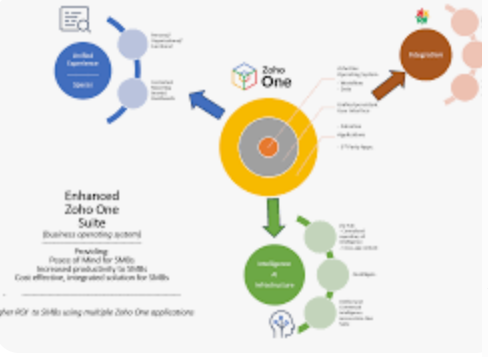
Image source: ZohoBest for: affordable and scalable CRM
Zoho CRM provides a wide range of features suitable for growing businesses.
Features include:
- lead management
- workflow automation
- analytics and reporting
- integration with other Zoho products
Zoho CRM is known for offering strong functionality at competitive pricing.
3. Salesforce Essentials
Best for: businesses that want enterprise-level tools
Salesforce is one of the most powerful CRM systems available. The Essentials version is designed for small businesses.
Advantages include:
- advanced sales tracking
- automation tools
- strong integration ecosystem
Salesforce is suitable for businesses planning long-term growth.
👉 Pipedrive vs HubSpot: Which one is better for you?
4. Pipedrive

Best for: sales-focused teams
Pipedrive is designed to help businesses manage sales pipelines efficiently.
Key features:
- visual sales pipeline
- lead tracking
- automation tools
- customizable workflows
Many service businesses use Pipedrive to track leads and convert prospects into customers.
5. Freshsales
Best for: AI-powered sales management
Freshsales offers built-in automation and AI insights to help businesses manage customer interactions.
Features include:
- contact management
- email tracking
- deal pipeline management
- AI lead scoring
Freshsales is particularly useful for businesses that want data-driven sales insights.
6. Insightly

Best for: project and customer management
Insightly combines CRM and project management features.
Advantages:
- lead tracking
- project management tools
- email integration
- workflow automation
This platform is useful for businesses managing ongoing client projects.
7. Monday CRM
Best for: teams that want visual workflow management
Monday CRM provides a visual interface that helps teams manage customer relationships easily.
Key features:
- customizable pipelines
- team collaboration tools
- automation features
It works well for businesses that need a flexible system to manage customers and tasks.
How to Choose the Right CRM for Your Business
Finding the best CRM for small business depends on your specific team needs.
When selecting a CRM for your small business, consider the following factors.
Ease of use
Choose software that is easy for your team to learn and adopt.
Automation features
Look for tools that can automate repetitive tasks like follow-up emails.
Integration capabilities
For instance, you might want to integrate it with the best booking software for small business to sync appointments.
Your CRM should integrate with booking systems, marketing tools, and payment platforms.
Scalability
Select a CRM that can grow with your business.
Final Thoughts
A CRM system can transform the way a small business manages its customers. By organizing contacts and tracking opportunities, you can improve relationships and increase sales efficiency.
Choosing the right tool depends on your specific workflow and growth plans. To fully optimize your business, we also recommend exploring the best automation tools for small business to connect your CRM with other essential apps.
Related Guides
7 Best Free CRM for Small Business (2026 Reviews)
Easiest CRM for Small Business: Top 5 Simple Solutions
Best Automation Tools for Small Business
Before You Choose Any CRM…
Most CRM buyers don’t fail because they chose a bad CRM.
They fail because they invested 20+ hours setting up the wrong CRM before realizing it wasn’t a fit.
That’s time they’ll never get back.
The framework below helps you avoid that mistake before it happens.
The problem isn’t choosing a CRM.
The problem is choosing the right CRM for your specific business.
That’s why I created a simple CRM comparison framework that helps small business owners evaluate HubSpot, Zoho CRM, Pipedrive, and other popular CRM tools before committing to one.
What You’ll Achieve
✔ Stop Before You Spend 20+ Hours Setting Up The Wrong CRM
Most CRM buyers don’t lose money on software.
They lose time.
Time importing contacts.
Time building pipelines.
Time training their team.
Then they discover the CRM isn’t the right fit.
And start over.
The CRM Decision Kit helps you avoid that mistake before it happens.
✔ Avoid costly setup mistakes
✔ Understand the true long-term costs
✔ Choose the right CRM the first time
✔ Save hours of research and trial-and-error
What’s Inside The Toolkit?
What Happens When You Choose The Wrong CRM?
Imagine spending the next two weeks:
• Importing hundreds of contacts
• Building custom pipelines
• Training your team
• Setting up automations
Only to realize the CRM doesn’t actually fit the way your business operates.
Now you have two choices:
Option 1:
Start over from scratch.
Option 2:
Stay with the wrong CRM and lose productivity every week.
Most business owners don’t lose money on CRM software.
They lose time fixing the wrong decision.
Here’s a real example:
A local service business with 5 employees evaluated three popular CRM platforms using the framework inside this toolkit.
Results:
HubSpot CRM: Best Match
Zoho CRM: Too Complex For Current Team Size
Pipedrive: Strong Sales Features But Missing Needed Marketing Tools
Final Recommendation:
HubSpot CRM
Without a structured evaluation process, they likely would have selected the wrong platform based solely on online reviews.
The CRM Decision Kit helps you identify the best fit before you spend hours importing contacts, building workflows, and training your team.
🚀 🚀 Avoid Wasting $500-$2,000 on the Wrong CRM
Instead of spending hours comparing software, use the same framework to quickly identify which CRM fits your business best.
Make a confident decision before you invest time importing contacts, building pipelines, and training your team.
🚀 Stop Your CRM Setup Before You Waste Another Hour. Get the framework that ensures you pick the right system the first time.