分类: Uncategorized

  • HubSpot vs. Pipedrive (2026): Which CRM Actually Saves Small Businesses More Money?

    HubSpot vs Pipedrive comparison 2026

    HubSpot vs Pipedrive is the ultimate comparison for small businesses looking to save on costs in 2026.

    Choosing the right CRM shouldn’t be a budget-drain. While HubSpot is a massive marketing ecosystem and Pipedrive is a sales-precision tool, the “right” choice for 2026 comes down to one thing: scaling costs.

    1. HubSpot vs Pipedrive: Why HubSpot Traps You

    HubSpot’s “Forever Free” plan is excellent, but it’s a trap for growth. Once you need basic automation or exceed 500 contacts, the price jumps from $0 to hundreds of dollars per month. If you aren’t doing heavy email marketing, you’re paying for a brand name, not utility.

    2. Why Pipedrive Wins for ROI

    When evaluating HubSpot vs Pipedrive, focus on your actual database needs rather than the marketing hype.

    Pipedrive is built for one goal: sales velocity. Its pricing is transparent and per-user, meaning you aren’t penalized for having a large database. If your priority is closing deals rather than managing complex marketing funnels, Pipedrive is significantly cheaper to operate.

    STOP. Switching CRMs?
    Don’t Risk Losing Your Leads.

    The single most stressful part of switching CRMs is data migration. If your formatting is off by even one column, your import will fail, critical sales history disappears, and your data gets ruined forever. We’ve done the hours of tedious configuration for you.

    One-Time Fee: $9.99
    Instant Lifetime Access
    Secure, Direct Google Sheet link.

    3. The “Hidden” Cost: Time

    Both tools require setup, and that’s where most small businesses lose money. Instead of spending 20+ hours configuring your pipeline, use our 2026 CRM Migration Blueprint to get fully automated in under 30 minutes.

    ComparisonHubSpotPipedrive
    FocusMarketing & SalesSales Velocity
    PricingTiered (Aggressive)Per User (Flat)
    ROIBest for Marketing TeamsBest for Pure Sales

    The Final Verdict for 2026

    • Choose HubSpot if you are a marketing-heavy team that needs all-in-one landing pages and automation.
    • Choose Pipedrive if you want a clean, predictable, and sales-focused CRM that respects your budget.

    Still stuck? See how these two stack up against the rest in our Best CRM for Small Business in 2026 guide.

    FAQ: Should you switch?

    Is HubSpot better than Pipedrive for beginners? Yes, if you need marketing tools built-in. Pipedrive is better if you just want to sell. Which is cheaper? Pipedrive is generally more predictable. HubSpot’s costs scale up quickly as your lead volume grows, often hitting small business budgets harder than expected. Can I migrate data easily? Yes, but it requires clean mapping. Our 2026 CRM Migration Blueprint handles this for you automatically.

    🚀 Want a Done-for-You CRM Setup System?

    Skip hours of tedious configuration and launch your system today using our ready-made CRM templates.

    • ✔ CRM Setup Checklist — Complete step-by-step launch framework.
    • ✔ Sales Pipeline Template — Pre-configured stages ready to import.
    • ✔ Automation Workflows — Copy-and-paste follow-up rules.
    • ✔ Budget & KPI Calculator — Track your lifetime value and deal sizes.

    💰 Price: Only $9.99 (One-time payment • Instant Download)

  • Free Small Business CRM Matchmaker & Cost Calculator

    1. What is your current team size?

  • 7 Best CRM Tools (2026): Stop Wasting $1,200 on the Wrong CRM

    7 Best CRM Tools (2026): Stop Wasting $1,200 on the Wrong CRM

    Best CRM Tools for Small Business

    7 Best CRM Tools for Small Businesses in 2026 (Compared + Free Templates)

    Finding the best CRM tools for small businesses in 2026 can be overwhelming.

    Choosing the wrong CRM often leads to:

    • wasted money on unnecessary software
    • manual lead tracking
    • missed follow-ups
    • poor sales visibility

    Many businesses spend weeks testing CRM tools but still fail to build a system that actually works.

    🤔 Stuck Choosing the Right CRM?

    Don’t waste 20+ hours testing software. Use our free interactive tool to find the perfect match for your budget and team size in 3 minutes.

    Try Free CRM Finder Tool →
    💡

    Struggling to Choose or Set Up Your CRM?

    Don’t waste 20+ hours wrestling with complex configurations or hidden fees. Grab our turnkey CRM Setup System & Decision Kit. Get instant access to interactive comparison matrices, budget estimators, and step-by-step pipeline blueprints designed for small businesses.

    $49.00 $9.99 Instant Download
    Get the Toolkit Now →

    Best CRM Tools for Small Businesses Comparison Table (2026)

    CRMBest ForStarting PriceFree Plan
    HubSpot CRMBeginners & startupsFreeYes
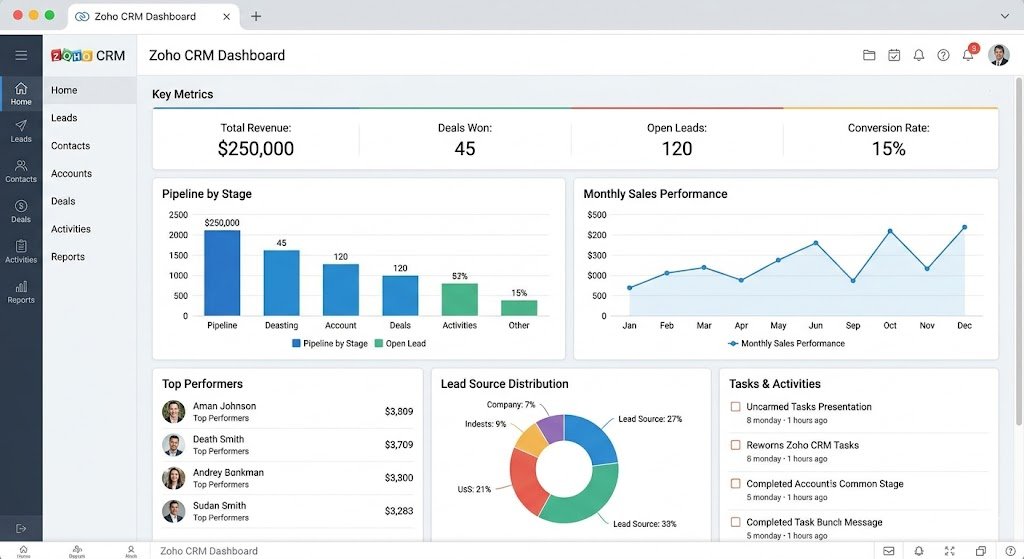
    Zoho CRMBudget teams$14/userYes
    PipedriveSales teams$14/userNo
    FreshsalesAutomation$9/userYes
    Monday CRMProject + CRM$12/userNo
    Salesforce EssentialsGrowing teams$25/userNo
    ClickUp CRMWorkflow teamsFreeYes

    STOP. Switching CRMs?
    Don’t Risk Losing Your Leads.

    The single most stressful part of switching CRMs is data migration. If your formatting is off by even one column, your import will fail, critical sales history disappears, and your data gets ruined forever. We’ve done the hours of tedious configuration for you.

    One-Time Fee: $9.99
    Instant Lifetime Access
    Secure, Direct Google Sheet link.

    Why the Best CRM Tools for Small Business Setup Fails

    Most businesses think choosing software is the hardest part.

    It isn’t.

    The real reason CRM implementations fail is simple:

    Businesses automate chaos.

    Common mistakes:

    • no lead process
    • no content system
    • poor pipeline structure
    • no automation logic

    Without structure, a CRM becomes an expensive spreadsheet nobody uses.

    This is why software alone is not enough.

    You also need:

    • workflow templates
    • automation systems
    • content planning
    • lead management processes

    That is exactly why we built the AI Business Launch Toolkit.

    🚀

    The Real Reason CRM Implementations Fail

    Most small businesses think choosing software is the hardest part. It isn’t. Without a structured workflow, a CRM quickly becomes just an expensive spreadsheet that nobody uses. Don’t automate chaos.

    👇 Scroll down to use our comparison table, or skip the guesswork entirely with our turnkey setup system below.

    Still Not Sure Which CRM to Choose?

    Choosing a CRM is only 20% of the battle—setting it up correctly without paying consultants is the real challenge. Stop guessing and start scaling.

    • 📊 5-CRM Detailed Comparison Matrix & SOP Checklist
    • 💰 Hidden Cost Annual Budget Calculator
    • 🚀 Pre-built Sales Pipelines & Automation Templates
    Limited Time Offer Only $9.99 (One-time payment)
    Get the Full CRM Setup System Now →

    1. HubSpot CRM

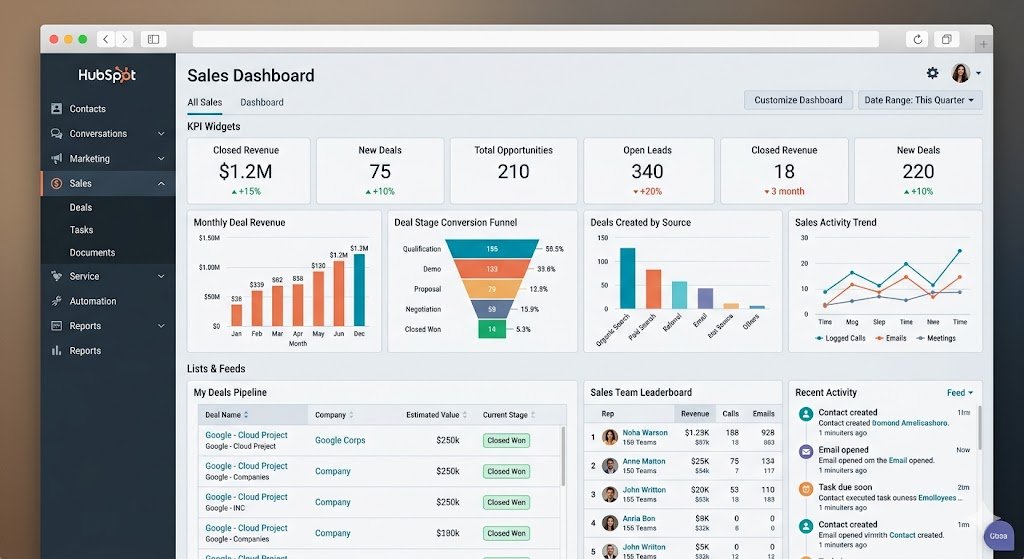
    Best CRM Tools for Small Businesses - HubSpot Dashboard

    Best for Beginners & Startups

    HubSpot remains one of the most beginner-friendly CRMs available.According to HubSpot’s 2026 industry report, over 60% of small businesses now use AI-driven CRM features to scale.

    Pros

    • excellent free plan
    • clean interface
    • email automation
    • strong integrations

    Cons

    • paid plans scale up quickly

    Pricing

    Free plan available.

    Best for:

    • startups
    • solopreneurs
    • service businesses

    2. Zoho CRM

    Best for Budget-Conscious Businesses

    Zoho offers strong value for businesses needing CRM features without premium pricing.

    When evaluationg the best CRM tools for small businesses, pricing/pipeline visibility is a crucial factor.

    Pros

    • affordable
    • automation tools
    • ecosystem integrations

    Cons

    • interface less intuitive

    Pricing starts at $14/user/month.


    3. Pipedrive

    Best for Sales Pipelines

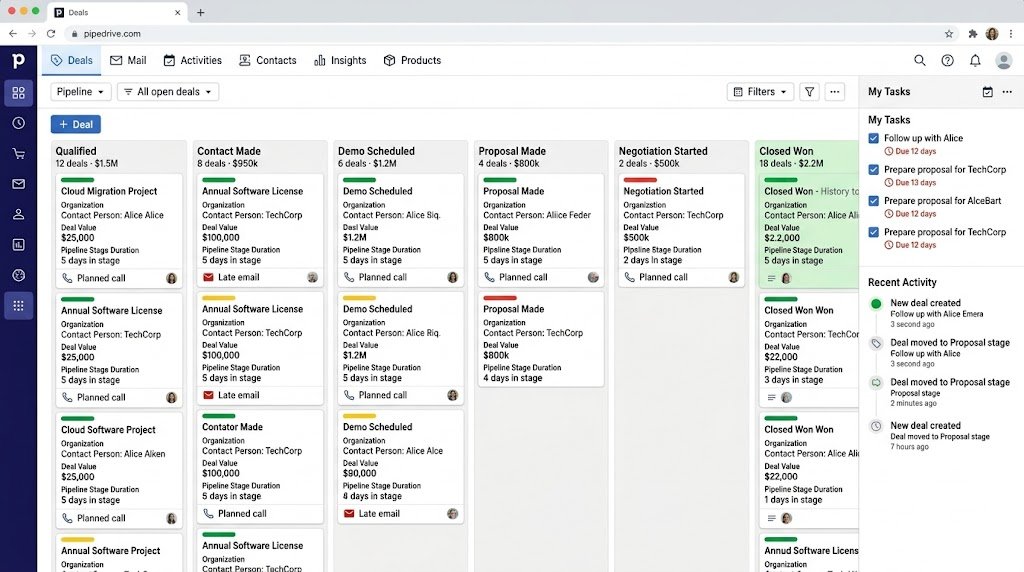
    Pipedrive is ideal for businesses focused heavily on sales visibility.

    Pros

    • visual deal tracking
    • pipeline clarity
    • easy onboarding

    Cons

    • no free plan

    Save Time with the AI Business Launch Toolkit

    To solve this, we created the AI Business Launch Toolkit — a ready-to-use bundle of templates, prompts, and systems designed to help entrepreneurs set up CRM workflows, content systems, and automation faster.

    Included in the AI Business Launch Toolkit

    ✅ 30 SEO Article Templates
    ✅ 100 AI Prompts for business & content growth
    ✅ CRM Setup Checklist
    ✅ Affiliate Monetization Playbook
    ✅ 30-Day Content Calendar

    Instead of building everything from scratch, use proven templates immediately.

    Instead of wasting hours figuring everything out manually, use proven systems.

    Toolkit Includes:

    • SEO templates
    • CRM onboarding checklist
    • AI prompts
    • monetization systems
    • content planning

    Perfect For:

    ✔ Small business owners
    ✔ Freelancers
    ✔ Affiliate marketers
    ✔ Startup founders

    One-time payment. Instant digital delivery.

    🛠️ Want to skip manual setup? Get the complete 2026 CRM Setup System & Decision Kit.

    Confused which one to pick? Use our CRM Setup Checklist to find your perfect match in minutes.


    4. Freshsales

    Best for Automation

    Freshsales is strong for businesses wanting automation at lower cost.

    Pros

    • workflow automation
    • AI features
    • communication tools

    5. Monday CRM

    Best for CRM + Project Management

    Best for teams managing both operations and customer relationships.

    Pros

    • dashboards
    • visual workflows
    • project integration

    6. Salesforce Essentials

    Best for Growing Businesses

    Salesforce remains powerful for businesses planning long-term scaling.

    Pros

    • enterprise-grade features
    • scalability

    Cons

    • steeper learning curve

    7. ClickUp CRM

    Best for Workflow-Focused Teams

    ClickUp is ideal if you want CRM plus task management.

    Pros

    • flexible workflows
    • free plan
    • productivity integrations

    How to Choose the Right CRM

    Choosing the best CRM for small business isn’t just about price; it’s about finding a tool that scales with your lead generation.

    Before choosing a CRM, ask:

    1. How large is your team?

    Small teams often do well with:

    • HubSpot
    • Zoho
    • ClickUp

    2. Do you need automation?

    Choose:

    • HubSpot
    • Freshsales
    • Zoho

    3. Do you need project management too?

    Choose:

    • Monday CRM
    • ClickUp

    4. What is your budget?

    Best budget options:

    • HubSpot Free
    • Zoho
    • ClickUp


    Final Recommendation

    For most small businesses:

    Best Free CRM: HubSpot
    Best Budget CRM: Zoho
    Best Sales CRM: Pipedrive

    But software alone is never enough.

    If you want templates, systems, and workflows ready to go:

    Ready to Launch Your CRM Workflow Today?

    Stop overthinking and start organizing. Download the full 2026 deployment checklists, pricing matrix, and interactive calculators to configure your pipeline in minutes.

    $49.00 $9.99 Instant Delivery
    🚀 Get the CRM Setup System Now →

    When looking for the best CRM for small business, remember that the right tool must fit your specific workflow and budget.

    Question 1: What is the best CRM for small business?

    HubSpot is one of the best beginner-friendly CRMs for startups, while Pipedrive is ideal for sales-focused teams.

    Which CRM is easiest to use?

    HubSpot and Pipedrive are widely considered the most beginner-friendly options due to their intuitive drag-and-drop interfaces.

    How much does CRM software cost for small businesses?

    The cost ranges from $0 (Free plans from HubSpot) to $25/user/month for essential features in platforms like Salesforce or Monday CRM.

  • Best Foldable Storage Rack for Small Spaces (2026 Review)

    Foldable Storage Rack for Kitchen and Garage

    Looking for the best foldable storage rack to organize your home? If you are struggling with small spaces, this foldable storage rack is the fastest solution to add vertical storage instantly.

    Not just in the kitchen.

    Small apartments, crowded living rooms, home offices, beauty setups, and even storage corners all suffer from the same issue:

    Too many items, not enough organized space.

    The good news?

    You don’t need more space.

    You just need a smarter way to use the space you already have.


    The Fastest Way to Organize Any Small Space

    Instead of trying to rearrange everything, the simplest solution is to add vertical storage.

    A foldable storage rack gives you instant structure and extra space without remodeling or complicated setup.

    You can use it to organize:

    • Kitchen items and appliances
    • Books and office supplies
    • Living room storage
    • Beauty tools (perfect for nail setups)
    • Laundry and cleaning products
    • Pantry and household items

    👉Check Today’s Deal – $49.99


    Why This Works Better Than Traditional Shelves

    Most storage solutions are fixed and bulky.

    They are hard to move, hard to install, and not designed for flexible living.

    This foldable rack solves those problems.

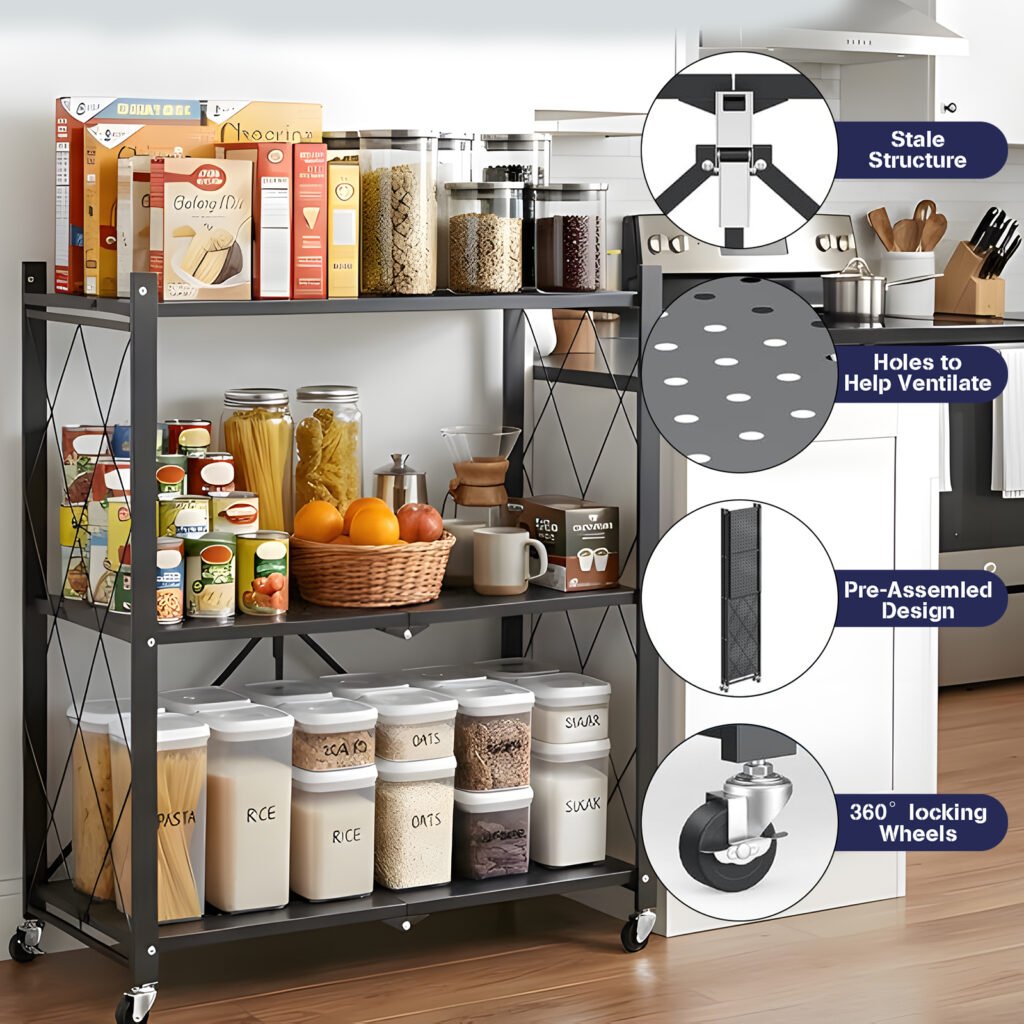
    ✔ Foldable Design

    You can fold it when not in use and save space.

    ✔ Multi-Room Use

    Use it in the kitchen today, move it to your office or beauty setup tomorrow.

    ✔ Easy to Move

    The rolling design allows you to reposition it anytime.

    ✔ No Complicated Installation

    No drilling. No tools. No stress.

    👉 View All Sizes & Pricing


    Choose the Right Size for Your Home

    📦 3-Tier Standard (Compact & Handy)
    Dimensions: 27.8″ W x 13″ D x 35.6″ H
    Price: $49.99 (Free Shipping)

    Buy 3-Tier Now

    📦 4-Tier Professional (Most Popular)
    Dimensions: 27.8″ W x 13″ D x 49.2″ H
    Price: $59.99 (Free Shipping)

    Buy 4-Tier Now

    📦 5-Tier Maximum Capacity (Heavy Duty)
    Dimensions: 27.8″ W x 13″ D x 61.4″ H
    Price: $69.99 (Free Shipping)

    Buy 5-Tier Now

    Perfect For These Spaces

    This is not just a kitchen rack.

    It is a multi-purpose storage solution for:

    Small Apartments

    Limited space requires flexible storage.

    Home Offices

    Organize books, printers, and supplies.

    Living Rooms

    Keep everyday items in one clean place.

    Nail / Beauty Setup

    Store tools, products, and accessories neatly.

    Laundry Rooms

    Keep detergents and supplies organized.


    Ships Fast from US Warehouse

    One major problem with online storage products is slow delivery.

    This product ships from a US warehouse, so you do not need to wait weeks.

    ✔ 2–5 day delivery
    ✔ Local US shipping
    ✔ No long delays

    👉 Check availability and order here:


    Before and After: What Changes?

    Before:

    • Items everywhere
    • No clear structure
    • Hard to find things
    • Space feels smaller

    After:

    • Everything organized vertically
    • Clean and structured layout
    • Easier daily use
    • Space feels larger instantly

    Frequently Asked Questions

    1. Is there any assembly required? No, this foldable storage rack comes pre-assembled. Just unfold it and it’s ready to use.

    2. What is the weight capacity? Each tier of our heavy-duty rack can hold up to 75 lbs, making it perfect for kitchen appliances and tools.

    3. Does it include wheels? Yes, the rolling wheels are included for easy mobility, and they feature a locking mechanism for stability.

    Final Thoughts

    You don’t need a bigger home.

    You need a better system.

    This foldable storage rack is one of the simplest ways to organize your space without spending hundreds on furniture or renovations.

    👉 Get yours today (PayPal checkout available):

    If you are looking for more business tools and home organization tips, check out our latest reviews at The Local Biz Toolbox.

  • Best Small Business CRM: Don’t Choose Until You Read This (2026 Update)

    Finding the best CRM for small business can be overwhelming, but choosing the right tool is the fastest way to save hundreds of hours and boost your sales.

    After comparing today’s most popular CRM platforms, three solutions consistently stand out:

    • HubSpot CRM
    • Zoho CRM
    • Pipedrive
    Best CRM for Small Business 2026

    Each platform serves a different type of business, and choosing the wrong one can cost both time and money.

    In this guide, we’ll compare features, pricing, ease of use, and ideal use cases so you can make the right decision faster.


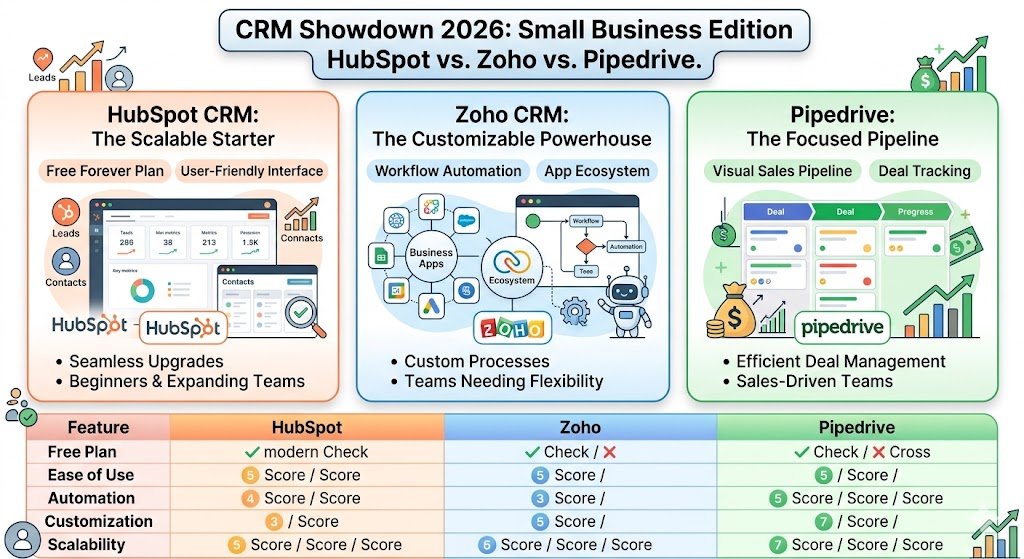
    Quick Comparison Table

    CRMOverall ScoreFree PlanEase of UseBest For
    HubSpot CRM9.2/10Yes9/10Beginners & Growing Businesses
    Zoho CRM8.6/10Yes7/10Customization & Flexibility
    Pipedrive8.4/10No9/10Sales-Focused Teams

    Our Winner

    🏆 HubSpot CRM

    Best overall balance of usability, features, free tools, and scalability for most small businesses.When evaluating options, it’s clear that finding the best CRM for small business success depends on your specific growth stage.


    1. HubSpot CRM — Best Overall CRM for Small Business

    Pipedrive CRM visual sales pipeline dashboard interface

    Why We Recommend It

    HubSpot remains one of the easiest CRM systems for small businesses to adopt.which is why it consistently ranks as a best CRM for small business choice.

    What impressed us most:

    ✓ Clean dashboard

    ✓ Fast contact importing

    ✓ Excellent mobile app

    ✓ Generous free plan

    Pros

    • Free forever plan available
    • Easy setup process
    • Excellent reporting dashboard
    • Strong integrations

    Cons

    • Advanced automation becomes expensive
    • Pricing can increase as your team grows

    Best For

    • New businesses
    • Service-based businesses
    • Teams under 20 employees

    👉 Start with HubSpot’s Free CRM


    2. Zoho CRM — Best for Customization

    Pipedrive CRM visual sales pipeline dashboard interface

    Zoho CRM is ideal for businesses that need more control over workflows and custom processes.

    Pros

    • Affordable pricing
    • Extensive customization
    • Strong ecosystem of business apps

    Cons

    • Steeper learning curve
    • Interface can feel overwhelming

    Best For

    • Agencies
    • Contractors
    • Businesses with custom workflows

    👉 Explore Zoho CRM


    3. Pipedrive — Best for Sales Teams

    Pipedrive CRM visual sales pipeline dashboard interface

    Pipedrive focuses heavily on helping sales teams move deals through the pipeline efficiently.

    Pros

    • Excellent visual pipeline
    • Easy deal tracking
    • Fast onboarding

    Cons

    • No permanent free plan
    • Fewer marketing features

    Best For

    • Sales-driven businesses
    • Real estate teams
    • B2B companies

    👉 Start Pipedrive Free Trial


    Feature Comparison

    FeatureHubSpotZohoPipedrive
    Free Plan
    Mobile App9/108/109/10
    Ease of Use9/107/109/10
    Automation8/109/107/10
    Reporting8/108/107/10
    Customer Support8/107/108/10

    Which CRM Is Right for You?

    Choose HubSpot if:

    ✓ You want the easiest setup

    ✓ You need a free plan

    ✓ You’re just getting started

    Choose Zoho if:

    ✓ You need customization

    ✓ You already use Zoho products

    ✓ Budget is a major concern

    Choose Pipedrive if:

    ✓ Sales is your primary focus

    ✓ You want visual deal tracking

    ✓ Your team lives inside the pipeline


    Need a Faster Way to Decide?

    Still unsure which CRM fits your business?

    Our CRM Decision Kit includes:

    ✔ CRM comparison worksheet

    ✔ Budget planning calculator

    ✔ CRM selection framework

    ✔ Setup checklist

    Download the CRM Decision Kit →


    Frequently Asked Questions

    Is HubSpot really free?

    Yes. HubSpot offers a free CRM plan that includes contact management, deal tracking, forms, and basic reporting.

    What CRM is easiest for beginners?

    For most small businesses, HubSpot is the easiest CRM to learn and implement.

    Is Zoho cheaper than HubSpot?

    In many cases, yes. Zoho’s paid plans are generally more affordable, especially for growing teams.

    Can I use Excel instead of a CRM?

    You can, but spreadsheets quickly become difficult to manage as customer volume increases.

    Which CRM is best for service businesses?

    HubSpot is usually the best starting point because of its ease of use and free plan.


    Final Verdict

    For most small businesses in 2026:

    🥇 HubSpot CRM

    🥈 Zoho CRM

    🥉 Pipedrive

    The best CRM is the one your team will actually use consistently.

    Confused by All These CRM Options?

    Skip 10+ hours of tedious research.
    Make a confident, data-backed decision in just 5 minutes with our proven system.

    $49.00 $9.99
    Get the CRM Decision Kit Now →

    ✨ Includes interactive comparison templates, budget estimators, and a 2-minute “Best Fit” quiz.

    Start with a free option, test it for a few weeks, and upgrade only when your business truly needs more advanced features.We hope this guide helps you identify the best CRM for small business needs.

    Still have questions? Feel free to leave a comment below. If you’re ready to stop researching and start selling, grab our CRM Decision Kit here to get your system running in minutes.


  • Small Business CRM Decision Kit (2026)

    🚀 Small Business CRM Decision Kit (2026)

    Small Business CRM Decision Kit (2026) Dashboard

    Small Business CRM Decision Kit (2026): Choose the right CRM faster, avoid bad tool choices, and set up your first pipeline without wasting hours on research.

    • Compare top CRM tools side by side
    • Know which CRM fits your business type
    • Use a simple setup checklist to get started fast
    • Includes a beginner-friendly sales pipeline template

    Skip hours of research and get a simple CRM decision system you can use today.

    Ready to save 10+ hours of tedious research?

    Get the full Decision Kit now and make your choice in 5 minutes.

    $9.99 One-time payment
    Get It Now →

    This simple starter kit helps you skip the confusion and get started fast.


    ✅ What You’ll Get

    This Small Business CRM Decision Kit (2026) is designed for beginners and small business owners who want a practical, no-fluff solution.

    ✔ CRM Comparison Sheet (Top tools side-by-side)
    ✔ Beginner CRM Setup Checklist
    ✔ Simple Sales Pipeline Template
    ✔ Tool Recommendations by Business Type


    📊 CRM Comparison (Example)

    Example Inside the Kit: Finding Your Match

    • Local service business → Recommended: HubSpot
    • Sales-focused small team → Recommended: Pipedrive
    • Budget-conscious beginner → Recommended: Zoho CRM

    This is just a small preview of the decision framework included in the full kit.

    ToolBest ForFree PlanEase of Use
    HubSpotBeginnersYesVery Easy
    PipedriveSales teamsNoEasy
    Zoho CRMBudget usersYesMedium

    ⚡ Why This Matters

    Most small businesses waste hours researching tools and still choose the wrong CRM.

    This kit helps you:

    ✔ Save time
    ✔ Avoid bad tool choices
    ✔ Start your CRM setup in minutes

    Check out our other guides for small business growth.


    🔥 👉 Get Instant Access

    Start using the right CRM today.

    Still Unsure Which Small Business CRM to Choose?

    Choosing the wrong CRM can waste hours — or even weeks of frustrating manual implementation and training. Most small business owners spend over 10+ hours reading biased reviews. This toolkit stops the guesswork immediately.


    Get Full Access To The 2026 Edition In 5 Minutes

    $49.00 $9.99 (One-time payment)

    Risk-Free Guarantee: Not satisfied with the decision framework? Just email us within 30 days for a full, hassle-free refund.

    Instead of spending hours researching tools, get everything ready in minutes.


    This kit is for you if:

    • ✔ You run a small business and need your first CRM
    • ✔ You’re comparing tools like HubSpot, Pipedrive, or Zoho CRM
    • ✔ You want to save time and avoid choosing the wrong platform
    • ✔ You want a simple setup plan instead of reading dozens of articles

    This kit is NOT for you if:

    ✘ You want done-for-you consulting

    ✘ You already use an advanced CRM system

    ✘ You need a full enterprise implementation guide


    ❓ Frequently Asked Questions

    Is the Small Business CRM Decision Kit up to date for 2026?
    Yes. We regularly audit the pricing, API capabilities, and feature sets of top-tier tools like HubSpot and Pipedrive to ensure our 2026 data remains accurate for small business owners and freelancers.

    Do I need a large budget to start using a CRM?
    Not at all. Most tools featured in our kit offer a “Free Forever” plan or a low-cost entry tier. Our toolkit helps you identify which free version provides the most professional features so you don’t have to upgrade until your revenue grows.

    How long will it take to set up my CRM using this kit?
    By following our Beginner CRM Setup Checklist, most users can have their basic sales pipeline customized and their first 50 contacts imported in under 30 minutes.

    Can I use these templates with Google Sheets or Excel?
    Absolutely. The templates are provided in a flexible Google Sheets format which can be easily exported to Microsoft Excel or CSV, ensuring you can manage your lead data on any platform you prefer.

    What if I decide the kit isn’t for me?
    No problem. As mentioned in our “Risk Reversal” guarantee, if you aren’t satisfied with the CRM Decision Kit, just email us for a full refund. We want this to be a win-win for your business growth.


    🔚 Final Note

    Download your copy of the Small Business CRM Decision Kit (2026) and start scaling today.

    Choosing the right tool is the first step in digital transformation for small businesses.

    Get Full Access To The 2026 Edition

    $49.00 $9.99 (One-time payment)

    Risk-Free Guarantee: Not satisfied with the decision framework?
    Just email us within 30 days for a full, hassle-free refund.

  • Pipedrive vs HubSpot (2026): Which CRM Saves Small Businesses More Money?

    Quick Choice: Get HubSpot Free (Best for Beginners) or Try Pipedrive (Best for Sales Teams)
    Pipedrive vs HubSpot

    Introduction

    Choosing the right CRM can be difficult for small businesses.

    Both tools offer powerful features, but they are designed for slightly different types of users.

    In this guide, we compare Pipedrive vs HubSpot to help you choose the best CRM for your business.

    💡 Not sure which one fits your specific needs? Check out our master list: Best CRM for Small Business (2026).

    In This Comparison:

    💡

    Short on time?

    We’ve built a complete CRM Setup System & Decision Kit that maps out exactly how to configure your sales pipeline in under 30 minutes. Grab the setup toolkit now and save 20+ hours of hair-pulling configuration.

    $49.00 $9.99 Instant Download
    Get the Toolkit Now →

    Quick Recommendation

    If you want a free and beginner-friendly CRM, HubSpot is a great starting point.

    If you need a sales-focused CRM with more control over pipelines, Pipedrive is a strong choice.

    👉 Compare more options in our guide on the best CRM for small business.


    Overview: Pipedrive vs HubSpot

    HubSpot: A Strong Pipedrive vs HubSpot Contender

    HubSpot is known for its free plan and all-in-one ecosystem.It’s perfect for businesses that need a unified view of marketing and sales without paying upfront. If you are a solo entrepreneur, the contact management features are more than enough to get you organized.

    Key strengths:


    Pipedrive

    Pipedrive is designed specifically for sales teams.The visual pipeline allows sales reps to see exactly where every deal stands, reducing the chance of losing a lead. It’s built for high-activity sales teams who can’t afford to let deals slip through the cracks.

    Key strengths:

    • Visual sales pipeline
    • Strong deal tracking
    • Simple interface

    Pipedrive vs HubSpot: Feature Comparison

    FeatureHubSpotPipedrive
    PricingFree planPaid only
    Ease of UseVery easyEasy
    Sales PipelineGoodExcellent
    AutomationLimited (free)Strong
    Best ForBeginnersSales teams

    Still Can’t Decide Between Pipedrive and HubSpot?

    Stop guessing and overthinking. Use our data-backed comparison matrix and pre-built sales pipeline templates to deploy your perfect workflow in 5 minutes.

    $49.00 $9.99
    Download the Decision Kit Now →

    Pricing Deep Dive: Which is Better Value?

    When comparing Pipedrive vs HubSpot, the biggest difference is in their pricing structure. HubSpot CRM is famous for its “Free Forever” plan, which is perfect for startups on a tight budget. However, as you scale and need advanced automation, HubSpot’s paid tiers can become quite expensive.

    On the other hand, Pipedrive does not offer a free version, but its paid plans are more predictable and often more affordable for small sales teams who need professional features like workflow automation and advanced reporting without the enterprise price tag of HubSpot.

    Check out our full guide to discover the best CRM for small business options for your specific needs.

    AI-Powered Sales Intelligence: 2026 Update.

    In 2026, both Pipedrive and HubSpot have integrated advanced AI to help small businesses close deals faster. HubSpot’s ChatSpot now handles complex reporting through natural language, while Pipedrive’s AI Sales Assistant provides personalized tips on which deals to prioritize based on historical closing patterns. For local businesses, these tools act like a virtual data scientist, ensuring no lead is left behind.

    Integration Options for E-commerce & Retail.

    For those running online stores via Shopify or WooCommerce, CRM integration is vital. HubSpot offers a more seamless “all-in-one” sync for customer purchase history, which is great for automated email marketing. Pipedrive, however, excels in managing the manual follow-up process for high-ticket retail orders, ensuring your sales team remains focused on the human element of the transaction.

    Frequently Asked Questions (FAQ).

    Q: Is Pipedrive or HubSpot better for a solo entrepreneur? A: If you are a solo founder focused purely on closing sales without needing complex marketing automation, Pipedrive’s lower entry price and visual pipeline are more effective. However, HubSpot’s free tier is unbeatable if you also need basic email marketing tools in one place.

    Q: Can I migrate data from HubSpot to Pipedrive easily? A: Yes, both platforms offer native migration tools. Pipedrive provides a specialized “Import Data” wizard that supports direct syncing from HubSpot via API, ensuring your deals and contacts remain organized during the transition.

    Q: Which CRM offers better mobile app functionality in 2026? A: Pipedrive’s mobile app is traditionally more focused on the salesperson in the field with its location-based features. HubSpot’s app is more comprehensive, allowing you to manage customer support tickets and marketing campaigns alongside your sales pipeline.

    Which CRM Is Better for Small Business?

    Choose HubSpot if:

    • You want a free CRM
    • You are just getting started
    • You need marketing + CRM together

    Choose Pipedrive if:

    • You focus on sales pipelines
    • You need better deal tracking
    • You are okay with a paid tool

    👉 Start with the Right CRM

    If you’re new to CRM, HubSpot is the easiest way to start.

    If your business is sales-driven, Pipedrive may be a better fit.


    Final Verdict

    Both Pipedrive and HubSpot are excellent CRM tools.

    For beginners, HubSpot is usually the better choice.

    For sales-focused teams, Pipedrive offers more control.

    👉 See full comparison in our Best CRM for Small Business guide.

    🚀 Pipedrive or HubSpot? Stop the Guesswork

    Choosing the wrong CRM can cost you months of wasted data and frustrated sales teams. Make the right choice in 10 minutes.

    • 📊 Pipedrive vs HubSpot Checklist & Detail Matrix
    • 💰 Pricing Trap Warning Guide & Budget Calculator
    • 🚀 2026 Ready-to-Use Setup Roadmap & Templates
    Limited Time Offer Only $9.99 (One-time payment)
    Get the CRM Decision Kit Now →
  • HubSpot CRM Review 2026: Is the Free Version Really Enough?

    If you’re a small business owner looking for the best CRM for small business, you’ve probably come across HubSpot.

    HubSpot CRM Review Dashboard

    HubSpot is one of the most popular CRM platforms available today, especially because of its generous free plan.

    But is HubSpot CRM really free? And more importantly, is the free version enough for a growing small business?

    In this HubSpot CRM Review 2026, we’ll break down everything you need to know before choosing HubSpot.


    What Is HubSpot CRM? A 2026 Small Business Review?

    HubSpot CRM is a customer relationship management platform designed to help businesses manage contacts, track deals, organize sales pipelines, and improve customer communication.

    It is particularly popular among startups and small businesses because it offers a powerful free plan with no credit card required.


    Key Features in HubSpot CRM

    The free version includes:

    ✔ Contact Management

    ✔ Deal Pipeline Tracking

    ✔ Email Tracking & Notifications

    ✔ Task Management✔ Basic Automation

    ✔ Reporting Dashboard

    For many small businesses, these features are enough to manage leads and customer relationships effectively.


    Pros of HubSpot CRM

    When conducting this HubSpot CRM review, we focused on how the platform scales for small teams.Our review found that HubSpot remains one of the easiest CRM systems to use.

    What We Liked

    ✔ Completely free to start

    ✔ Beginner-friendly interface

    ✔ Easy contact import process

    ✔ Strong ecosystem of marketing, sales, and service tools

    ✔ Scales as your business grows

    ✔ Excellent documentation and support resources

    For first-time CRM users, HubSpot offers one of the smoothest learning experiences available.

    Cons of HubSpot CRM

    What We Didn’t Like

    ❌ Advanced automation requires paid plans

    ❌ Costs can increase significantly as your team grows

    ❌ Some reporting features are limited in the free version

    ❌ Customizations are more restricted compared to platforms like Zoho

    While the free version is excellent, growing businesses should be aware of future upgrade costs.


    HubSpot Pricing

    When you read any HubSpot CRM review, keep in mind that pricing tiers can change as your business requirements evolve.

    HubSpot offers several pricing tiers:

    Free CRM

    ✔ Contact management

    ✔ Deal tracking

    ✔ Basic reporting

    ✔ Email tracking

    Starter Plan

    Paid upgrade with additional automation and customization options.

    Professional Plan

    Advanced workflows, reporting, and automation tools.

    Enterprise Plan

    Designed for larger organizations with complex CRM requirements.


    Is the Free Version Really Enough?

    For many small businesses, the answer is yes.

    If you have:

    ✔ Fewer than 10 employees

    ✔ A simple sales process

    ✔ Basic lead tracking needs

    ✔ Limited software budget

    Then HubSpot’s free plan can provide tremendous value.

    However, businesses that need advanced automation, detailed reporting, or complex sales workflows will likely need a paid upgrade later.

    The good news is that you can start free and upgrade only when your business actually requires it.

    Not sure whether HubSpot, Zoho or Pipedrive is the better fit?

    Compare all three side-by-side using our Small Business CRM Buyer’s Toolkit.


    Is HubSpot CRM Worth It?

    For beginners and small business owners, HubSpot remains one of the strongest CRM options available.

    Its free plan removes much of the risk associated with trying a CRM for the first time.

    If your goal is simply to organize contacts, track leads, and improve follow-up processes, HubSpot delivers excellent value.


    Who Should Use HubSpot CRM?

    HubSpot is ideal for:

    ✔ Beginners

    ✔ Small businesses

    ✔ Local service businesses

    ✔ Teams under 10 employees

    ✔ Businesses looking for a free CRM

    This HubSpot CRM review highlights that the platform is best for those who need a solid, no-cost entry point.


    Who Should Avoid HubSpot CRM?

    HubSpot may not be the best choice if you:

    ❌ Need advanced automation immediately

    ❌ Require highly customized workflows

    ❌ Have a large sales organization

    ❌ Need enterprise-level reporting from day one

    In those cases, alternatives such as Zoho CRM or Pipedrive may be worth exploring.


    Final Verdict

    HubSpot remains one of the best CRM platforms for small businesses in 2026.

    Its free plan, ease of use, and beginner-friendly design make it an excellent starting point for business owners who want to organize customer relationships without a steep learning curve.

    While paid upgrades can become expensive over time, most small businesses can get significant value from the free version before ever needing to upgrade.

    If you are still wondering if this HubSpot CRM review covers your specific needs, remember that testing the free version is the best first step for any growing business.


    Before You Choose a CRM…

    Most small business owners spend 5–10 hours researching CRM software and still end up choosing the wrong platform.

    Choosing the wrong CRM can easily cost hundreds of dollars in software fees, migration costs, and wasted setup time.

    Our Small Business CRM Buyer’s Toolkit helps you compare HubSpot, Zoho and Pipedrive side-by-side in less than 5 minutes.

    ✔ CRM Decision Matrix

    ✔ Cost Comparison Worksheet

    ✔ CRM Selection Checklist

    ✔ Implementation Roadmap

    ✔ Recommended CRM Picks

    Avoid Wasting $500-$2,000 on the Wrong CRM.

    If you’re comparing CRM tools, also read our complete guide:

    Best CRM for Small Business (2026)

  • Is CRM Worth It for Small Business? (2026 Guide)

    Is CRM Worth It for Small Business?

    Yes, Choosing a Small Business CRM Starter Kit is the best move for your business in 2026. If you’re overwhelmed by complex software, this guide will show you how to simplify your sales process and get organized fast.

    👉 Looking for the best CRM tools? Check out our full guide on the best CRM for small business.

    Many small businesses start by using spreadsheets, emails, or notes to manage customers. But as the business grows, this quickly becomes difficult to manage. A CRM helps organize contacts, sales opportunities, and communication in one place.


    Why CRM Can Be Valuable for Small Businesses

    A CRM system helps small businesses stay organized and avoid losing potential customers.

    With a CRM, you can:

    • store customer information in one place
    • track conversations and follow-ups
    • manage leads more effectively
    • improve sales efficiency

    For many small businesses, the biggest benefit is saving time and making sure no lead is forgotten.


    When a Small Business Should Start Using a CRM

    A small business should consider using a CRM when:

    • customer information is spread across multiple places
    • follow-ups are getting missed
    • leads are becoming harder to track
    • more than one person is handling customers

    If you also need to manage appointments alongside your leads, check out our guide on the Best Booking Software for Small Business.

    Even a simple free CRM can make a big difference at this stage.


    Is a Free CRM Enough?

    For many small businesses, a free CRM is enough in the early stages.

    Tools like HubSpot offer free plans that include essential features such as:

    • contact management
    • lead tracking
    • deal pipelines

    As the business grows, you can always upgrade to more advanced features later.


    What Is the Best Option for Beginners?

    If you’re just getting started, beginner-friendly CRM tools like HubSpot are often the easiest way to start.

    They are simple to use, easy to set up, and usually offer free plans that reduce the risk of trying something new.

    👉 Looking for the best CRM tools? Check out our full guide on the best CRM for small business.

    Ready to choose the right platform? Here is our curated list: Best CRM for Small Business (2026)


    Final Thoughts

    CRM is often worth it for small business because it helps organize customer information, improve follow-ups, and support growth.

    For businesses that want to save time and manage leads more effectively, starting with a simple CRM can be a smart move.

    👉 To compare the top options, read our guide on the best CRM for small business.

    Ready to choose? Read our deep dive into the best CRM for small business to find the perfect fit for your team.

    Our Small Business CRM Starter Kit is designed to save you hours of manual data entry.

    🚀 Want a Small Business CRM Starter Kit?

    If you’re starting from scratch, tools alone are not enough. You need a system that works for your growth.

    👉 Get the complete CRM Starter Kit here

    • Small Business CRM Setup – From zero to organized in 30 minutes.
    • Expert Tool Recommendations – Save hours of software research.
    • Ready-to-use CRM Templates – Professional Google Sheets & CSV formats.

    Everything you need to turn leads into loyal customers with our Small Business CRM Starter Kit.

    Ultimately, using a Small Business CRM Starter Kit ensures you never lose track of a potential customer and helps you close deals faster.

  • Best Free Tools for Small Businesses in 2026

    If you’re looking for the best free tools for small business, you’ve come to the right place. Using the right tools can save time, reduce costs, and help you grow faster in today’s competitive market.

    Below are some of the best free tools for small businesses, covering CRM, email marketing, automation, and lead generation.


    🔥 Quick Start (Recommended Tools)

    👉 Best CRM (Free & Easy to Use)
    Start Using HubSpot Free →

    HubSpot CRM - best free tools for small business

    Looking for recommended tools? Check out our list of the best free tools for small business to scale your operations today.

    👉 Best Email Marketing Tool
    Start Mailchimp Free →

    Mailchimp email marketing dashboard

    Looking for recommended tools? Check out our list of the best free tools for small business to scale your operations today.

    👉 Best Automation Tool
    Start Automating with Zapier

    Zapier automation tool for small business

    Looking for recommended tools? Check out our list of the best free tools for small business to scale your operations today.

    👉 Best Lead Generation Tool
    Start Using Systeme.io

    Systeme.io lead generation tool for small business

    CRM Tools

    👉 Looking for the best CRM tools? Check out our full guide on the best CRM for small business.

    HubSpot CRM

    One of the most popular free CRM tools for small businesses. It helps manage contacts, track deals, and automate follow-ups.

    👉 Start Using HubSpot Free


    Email Marketing Tools

    Mailchimp

    A beginner-friendly email marketing platform with a free plan.


    Automation Tools

    Zapier

    Connect different tools and automate workflows without coding.

    👉 Start Automating with Zapier


    Lead Generation Tools

    Systeme.io

    An all-in-one tool for building funnels, capturing leads, and email marketing.

    👉 Start Using Systeme.io


    Final Recommendation

    If you’re just getting started, begin with HubSpot and Mailchimp.

    As your small business grows, you can add automation tools like Zapier and lead generation platforms like Systeme.io.