作者: The Local Biz Toolbox Team

  • Is CRM Worth It for Small Business? (2026 Guide)

    Is CRM Worth It for Small Business?

    Yes, Choosing a Small Business CRM Starter Kit is the best move for your business in 2026. If you’re overwhelmed by complex software, this guide will show you how to simplify your sales process and get organized fast.

    👉 Looking for the best CRM tools? Check out our full guide on the best CRM for small business.

    Many small businesses start by using spreadsheets, emails, or notes to manage customers. But as the business grows, this quickly becomes difficult to manage. A CRM helps organize contacts, sales opportunities, and communication in one place.


    Why CRM Can Be Valuable for Small Businesses

    A CRM system helps small businesses stay organized and avoid losing potential customers.

    With a CRM, you can:

    • store customer information in one place
    • track conversations and follow-ups
    • manage leads more effectively
    • improve sales efficiency

    For many small businesses, the biggest benefit is saving time and making sure no lead is forgotten.


    When a Small Business Should Start Using a CRM

    A small business should consider using a CRM when:

    • customer information is spread across multiple places
    • follow-ups are getting missed
    • leads are becoming harder to track
    • more than one person is handling customers

    If you also need to manage appointments alongside your leads, check out our guide on the Best Booking Software for Small Business.

    Even a simple free CRM can make a big difference at this stage.


    Is a Free CRM Enough?

    For many small businesses, a free CRM is enough in the early stages.

    Tools like HubSpot offer free plans that include essential features such as:

    • contact management
    • lead tracking
    • deal pipelines

    As the business grows, you can always upgrade to more advanced features later.


    What Is the Best Option for Beginners?

    If you’re just getting started, beginner-friendly CRM tools like HubSpot are often the easiest way to start.

    They are simple to use, easy to set up, and usually offer free plans that reduce the risk of trying something new.

    👉 Looking for the best CRM tools? Check out our full guide on the best CRM for small business.

    Ready to choose the right platform? Here is our curated list: Best CRM for Small Business (2026)


    Final Thoughts

    CRM is often worth it for small business because it helps organize customer information, improve follow-ups, and support growth.

    For businesses that want to save time and manage leads more effectively, starting with a simple CRM can be a smart move.

    👉 To compare the top options, read our guide on the best CRM for small business.

    Ready to choose? Read our deep dive into the best CRM for small business to find the perfect fit for your team.

    Our Small Business CRM Starter Kit is designed to save you hours of manual data entry.

    🚀 Want a Small Business CRM Starter Kit?

    If you’re starting from scratch, tools alone are not enough. You need a system that works for your growth.

    👉 Get the complete CRM Starter Kit here

    • Small Business CRM Setup – From zero to organized in 30 minutes.
    • Expert Tool Recommendations – Save hours of software research.
    • Ready-to-use CRM Templates – Professional Google Sheets & CSV formats.

    Everything you need to turn leads into loyal customers with our Small Business CRM Starter Kit.

    Ultimately, using a Small Business CRM Starter Kit ensures you never lose track of a potential customer and helps you close deals faster.
  • Best Free Tools for Small Businesses in 2026

    If you’re looking for the best free tools for small business, you’ve come to the right place. Using the right tools can save time, reduce costs, and help you grow faster in today’s competitive market.

    Below are some of the best free tools for small businesses, covering CRM, email marketing, automation, and lead generation.


    🔥 Quick Start (Recommended Tools)

    👉 Best CRM (Free & Easy to Use)
    Start Using HubSpot Free →

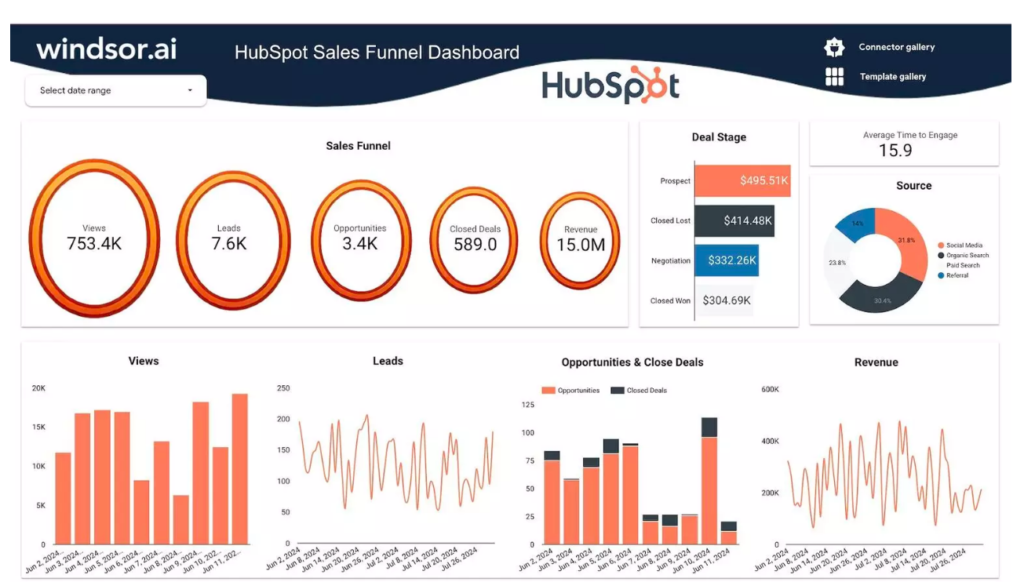
    HubSpot CRM - best free tools for small business

    Looking for recommended tools? Check out our list of the best free tools for small business to scale your operations today.

    👉 Best Email Marketing Tool
    Start Mailchimp Free →

    Mailchimp email marketing dashboard

    Looking for recommended tools? Check out our list of the best free tools for small business to scale your operations today.

    👉 Best Automation Tool
    Start Automating with Zapier

    Zapier automation tool for small business

    Looking for recommended tools? Check out our list of the best free tools for small business to scale your operations today.

    👉 Best Lead Generation Tool
    Start Using Systeme.io

    Systeme.io lead generation tool for small business

    CRM Tools

    👉 Looking for the best CRM tools? Check out our full guide on the best CRM for small business.

    HubSpot CRM

    One of the most popular free CRM tools for small businesses. It helps manage contacts, track deals, and automate follow-ups.

    👉 Start Using HubSpot Free


    Email Marketing Tools

    Mailchimp

    A beginner-friendly email marketing platform with a free plan.


    Automation Tools

    Zapier

    Connect different tools and automate workflows without coding.

    👉 Start Automating with Zapier


    Lead Generation Tools

    Systeme.io

    An all-in-one tool for building funnels, capturing leads, and email marketing.

    👉 Start Using Systeme.io


    Final Recommendation

    If you’re just getting started, begin with HubSpot and Mailchimp.

    As your small business grows, you can add automation tools like Zapier and lead generation platforms like Systeme.io.

  • What Is the Easiest CRM? (Beginner-Friendly Tools That Take 5 Minutes)

    What Is the Easiest CRM for Beginners?

    👉 Looking for the best CRM tools? Check out our full guide on the best CRM for small business.

    🔥 Quick Recommendation (Best for Beginners)

    Looking for an easy and free CRM to get started?

    👉 HubSpot CRM is one of the best free tools for small businesses. No credit card required, easy setup, and powerful features.

    👉 Visit HubSpot Official Website

    ✔ Free plan available
    ✔ Easy for beginners
    ✔ Trusted by thousands of businesses

    Choosing the easiest CRM for beginners is essential for small businesses that want to simplify their sales process. Generally, the best options are tools that require little setup and offer an intuitive interface.

    🚀 Short on time? See our top-rated pick for all small businesses right here.

    These tools are designed to help small businesses manage contacts, track leads, and organize customer data without a steep learning curve.


    Why Ease of Use Matters in a CRM

    For beginners, a complicated CRM can slow down progress and create frustration.

    An easy-to-use CRM helps you:

    • get started quickly
    • manage customer data efficiently
    • avoid technical complexity
    • focus on growing your business

    With so many platforms claiming to be “simple,” it’s easy to get overwhelmed. We’ve tested the top tools to save you time and help you find the easiest CRM for your needs.


    💡

    Short on time?

    We’ve built a complete CRM Setup System & Decision Kit that maps out exactly how to configure your sales pipeline in under 30 minutes. Grab the $9.99 setup toolkit now and save 20+ hours of hair-pulling configuration.

    $49.00 $9.99 Instant Download
    Get the Toolkit Now →

    Best Easy CRM Tools for Beginners

    HubSpot CRM

    HubSpot dashboard showing the easiest CRM interface for beginners in 2026

    HubSpot is widely considered the easiest CRM for beginners because of its user-friendly interface and “forever free” plan. It allows you to track contacts and manage your sales pipeline without any upfront cost. For a small business just starting out, HubSpot provides all the essential tools—like email tracking and meeting scheduling—within a single, easy-to-navigate dashboard.

    Zoho CRM: Best for Scaling Small Teams

    Zoho CRM is an excellent choice for beginners who want a tool that can grow with their business. While the interface is slightly more detailed than HubSpot, it offers a “Big Picture” view of your sales funnel. The “Zia” AI assistant can even help predict which leads are most likely to convert, saving you time on manual data entry.

    Pipedrive: Best Visual Sales Pipeline

    Pipedrive is designed around visual sales pipelines, making it the easiest CRM for beginners who want to track deals visually. For a new user, the “drag-and-drop” interface is a lifesaver. You can see exactly how many deals are in the “Discovery” stage versus “Closing,” helping you focus your energy where it matters most without getting lost in complex spreadsheets.


    Quick Tips for CRM Success

    Setting up the easiest CRM for beginners is only the first step. To get the most out of your tool, start by importing only your most active contacts. This prevents your dashboard from becoming cluttered. Additionally, take advantage of the mobile apps offered by HubSpot
    and Pipedrive; being able to update lead information on the go ensures your data remains accurate without extra effort at the end of the day.

    How to Choose a Beginner-Friendly CRM

    When selecting a CRM, beginners should focus on:

    • simple interface
    • easy setup
    • free or low-cost plans
    • helpful tutorials or support

    When deciding on the easiest CRM for beginners, consider how much time you can realistically spend on training. While a platform might look simple in a demo, the true test is how your team uses it daily. We recommend starting with a free trial of HubSpot or Zoho CRM to see which workflow feels more natural to you. Remember, the best CRM is the one your team actually uses every day.

    Why 2026 is the Year to Automate

    In 2026, manual data entry is becoming a thing of the past. By choosing the easiest CRM for beginners, you are not just buying software; you are investing in time. Automation features in HubSpot and Zoho can now handle lead follow-ups automatically, ensuring that no potential customer falls through the cracks while you focus on high-level strategy.

    👉 Comparing ease of use? Check out our Pipedrive vs HubSpot guide.

    Final Thoughts

    🚀

    Still Can’t Decide Which CRM Is Easiest for Your Team?

    Stop the endless trial and error. Grab our turnkey CRM Setup System & Decision Kit to get interactive comparison matrices, budget estimators, and step-by-step pipeline blueprints right now.

    $49.00 $9.99 Instant Access
    Grab the $9.99 CRM Setup Kit Now →

    In conclusion, Finding the easiest CRM depends on your needs. But if you want to skip the trial and error, our CRM Decision Kit gives you the exact answer for just $9.

    💡 Ready for the full comparison? If you want to see how these simple tools stack up against the industry leaders, check out our master guide: Best CRM for Small Business in 2026 (Top 7 Tools Compared).

  • Is There a Truly Free CRM? (Best Options for Small Businesses in 2026)

    🔥 Quick Recommendation (Best for Beginners)

    Looking for the best Free CRM for Small Businesses to get started?

    👉 HubSpot CRM is one of the best free tools for small businesses. No credit card required, easy setup, and powerful features.

    👉 Visit HubSpot Official Website

    ✔ Free plan available
    ✔ Easy for beginners
    ✔ Trusted by thousands of businesses

    👉 Looking for the best CRM tools? Check out our full guide on the best CRM for small business.

    Comparison of the best free CRM for small businesses in 2026

    Finding a Free CRM for Small Businesses is a top priority for many startups looking to organize their sales without a huge investment.

    Yes, there are several free CRM tools available for small businesses, including HubSpot, Zoho CRM, and Bitrix24.

    These tools offer essential features like contact management, deal tracking, and email integration, making them ideal for startups and small teams.

    🚀 Confused by “Free” Limitations?

    Free tools are great, but they have traps. Get the exact roadmap to the right CRM without the trial and error.

    Get the CRM Decision Kit (Now only $5)

    🚀 Short on time? See our top-rated overall pick for all small businesses right here.


    What to Expect from a Free CRM for Small Businesses?

    Free CRM tools typically include:

    • contact management
    • basic sales pipeline tracking
    • email integration
    • limited automation

    While free plans have limitations, they are often enough for small businesses just getting started.


    Best Free CRM for Small Businesses: Top Picks for 2026

    Some of the most popular free CRM options include:

    HubSpot CRM: The Best All-in-One Starting Point

    HubSpot is widely considered the gold standard for free CRM software. Its “free forever” plan is incredibly generous, allowing for unlimited users and up to 1,000,000 contacts.It is widely considered a leading choice for anyone searching for a Free CRM for Small Businesses.

    Pros: Extremely user-friendly interface, excellent mobile app, and seamless integration with Gmail and Outlook. It also includes basic email marketing and ad management tools.

    Cons: While the core CRM is free, the advanced “hubs” (Marketing, Sales, Service) can become very expensive as your business scales and you need more automation.

    👉 Is HubSpot’s free plan enough, or should you pay for Pipedrive? Read our full Pipedrive vs HubSpot comparison.

    Don’t waste days testing every “Free” CRM that doesn’t fit.

    👉 Get the $5 Decision Kit Instead

    Zoho CRM: Best for Small Teams and Customization
    Zoho CRM offers a robust free tier specifically designed for up to 3 users, making it a favorite for micro-businesses and startups. It provides a clean way to organize contacts, leads, and accounts.

    Pros: Excellent lead scoring features and a very capable mobile app. It integrates perfectly with the rest of the Zoho ecosystem (like Zoho Books or Zoho Mail).

    Cons: The free version is limited to 3 users and lacks some of the more advanced reporting features found in the paid “Standard” or “Professional” editions.

    Bitrix24: The Ultimate Collaboration Powerhouse Bitrix24 is more than just a CRM; it’s a complete workspace. The free plan supports unlimited users and includes 5GB of cloud storage, which is rare in the industry.

    Pros: It combines CRM with project management, video conferencing, and internal chat. If you want one tool to manage your entire office, this is it.

    Cons: Because it has so many features, the interface can feel cluttered and overwhelming for beginners. The learning curve is significantly steeper than HubSpot.


    Is a Free CRM Enough for Small Business?

    For many small businesses, a free CRM is enough in the early stages.

    When evaluating a Free CRM for Small Businesses, stability and data security are the most important factors to consider.

    However, as your business grows, you may need more advanced features such as:

    • automation
    • reporting
    • integrations

    How to Choose the Right Free CRM?

    When selecting a CRM, don’t just look at the price tag (or lack thereof). Consider these three factors:

    1. Ease of Use: If your team finds it too complex, they won’t use it.
    2. Scalability: Will the paid plans be affordable when you grow?
    3. Integration: Does it work with the email and calendar tools you already use?

    Frequently Asked Questions (FAQ)

    Q: Is a free CRM for Small Businesses secure? A: Yes, most reputable providers like HubSpot and Zoho use industry-standard encryption to protect your data. However, always enable two-factor authentication (2FA) for added security.

    Q: Can I export my data if I decide to switch? A: Most free CRMs allow you to export your contacts and deals into a CSV or Excel file, so you aren’t “locked in” if you choose to upgrade to a different platform later.
    “Choosing the right software can be a game-changer for your company’s growth and efficiency in the long run.”

    Final Thoughts

    🚀 Final Recommendation

    If you’re just getting started, we highly recommend starting with a free CRM.

    👉 HubSpot CRM is beginner-friendly and requires no upfront cost.

    👉 Try HubSpot for Free

    Free CRM tools are a great starting point for small businesses that want to organize customer data and improve sales processes without spending money.

    💡 Ready for the full comparison? If you want to see how these free tools stack up against the industry leaders, check out our master guide: Best CRM for Small Business in 2026 (Top 7 Tools Compared)

    Ready to build your CRM system correctly?

    Stop guessing and start growing with our curated roadmap.

    👉 Get the CRM Decision Kit (Now only $5)
  • What Is the Best CRM for Small Business? (2026 Beginner Guide)

    What Is the Best CRM for Small Business?

    best CRM for small business guide

    Choosing the best CRM for small business can be confusing, especially if you’re just getting started. With so many tools available, it’s hard to know which one is right for your needs.

    A CRM (Customer Relationship Management) system helps businesses manage customer information, track leads, and improve communication. For small businesses, using the right CRM can save time and increase sales.

    In this guide, we’ll explain what CRM tools are, why they matter, and how to choose the best CRM for your business.


    What Does a CRM Do?

    A CRM system helps you organize and manage customer relationships in one place.

    With a CRM, small businesses can:

    • store customer contact information
    • track conversations and interactions
    • manage sales pipelines
    • automate follow-ups

    Instead of using spreadsheets or scattered tools, a CRM keeps everything organized and easy to access.


    Why Small Businesses Need a CRM

    Many small businesses start without a CRM, but as they grow, managing customers becomes more complex.

    A CRM helps businesses:

    • respond faster to customers
    • track leads more effectively
    • improve customer relationships
    • increase sales efficiency

    Using a CRM allows business owners to focus on growth instead of manual tasks.


    What Is the Best CRM for Small Business?

    The best CRM depends on your business size, budget, and workflow.

    However, some of the most popular options include:

    • HubSpot (best free CRM for beginners)
    • Pipedrive (best for sales pipelines)
    • Zoho CRM (affordable and flexible)

    👉 If you want a detailed comparison, check out our guide on the best CRM for small business.


    How to Choose the Right CRM

    Ease of Use: If a CRM is too complicated, your team simply won’t use it. For a small business, you need an intuitive platform with a short learning curve. Look for drag-and-drop pipelines and clear navigation.

    Core Features: Don’t pay for features you don’t need. At a minimum, your CRM should include contact management, lead tracking, and basic task automation like follow-up reminders.

    Pricing & Budget: Many tools offer a free plan that is perfect for small teams. As you grow, you can upgrade. Be mindful of per-user pricing, which can get expensive as your team expands.

    Scalability & Integrations: Make sure the CRM can grow with you. It should connect with tools you already use, such as your email marketing platform or accounting software.

    CRMBest ForFree PlanEase of Use
    HubSpotBeginnersYes9/10
    ZohoCustom WorkflowsYes7/10
    PipedriveSales TeamsNo9/10

    Frequently Asked Questions about CRM

    Is a free CRM enough for a small business? Yes, for many startups and solopreneurs, a free CRM like HubSpot or Zoho offers plenty of features to get started, including contact management and email tracking.

    How long does it take to set up a CRM? A simple CRM can be set up in a few hours. However, importing all your existing contacts and training your team might take a few days to ensure everything runs smoothly.

    Do I need a CRM if I only have a few customers? Even with a few customers, a CRM helps you stay organized and ensures you never miss a follow-up, which is key to growing your business long-term.

    Choosing the best CRM for small business doesn’t have to be complicated. Start with a simple tool, learn how it works, and upgrade as your business grows.

    🚀

    Still Overwhelmed by Too Many CRM Options?

    Stop spending hours reading biased reviews. Grab our turnkey CRM Setup System & Decision Kit to compare pricing formulas side-by-side and map out your automated pipeline in under 30 minutes.

    $49.00 $9.99 Instant Access
    Grab the $9.99 CRM Setup Kit Now →

    Final Thoughts

    A good CRM can help you stay organized, improve customer relationships, and increase your revenue over time.

    👉 To compare the top CRM tools in detail, read our full guide on the best CRM for small business.

  • Best Lead Generation Tools for Small Business in 2026 (Top 7 Tools to Get More Customers)

    Best Lead Generation Tools for Small Business in 2026

    Generating consistent leads is one of the biggest challenges for small businesses. Whether you run a local service business or an online company, attracting potential customers is essential for growth.

    Lead generation tools help businesses capture contact information, automate follow-ups, and convert visitors into paying customers.

    In this guide, we’ll explore the best lead generation tools for small businesses and how they can help you get more customers.


    Quick Recommendation

    If you’re looking for an easy way to capture leads, start with HubSpot or ConvertKit.

    Best for beginners and lead capture:


    Quick Comparison

    ToolBest ForPricing
    HubSpotFree CRM & lead captureFree plan
    ConvertKitEmail + lead funnelsPaid
    OptinMonsterWebsite lead capturePaid

    Why Lead Generation Tools Matter

    Without a system for capturing leads, businesses lose potential customers every day.

    Lead generation tools help you:

    • collect customer emails
    • create landing pages
    • automate follow-ups
    • convert visitors into clients

    If you’re building a complete system, you should also explore the best CRM for small business to manage your leads effectively.

    💡

    Short on time?

    We’ve built a complete CRM Setup System & Decision Kit that maps out exactly how to configure your sales pipeline in under 30 minutes. Grab the $9.99 setup toolkit now and save 20+ hours of hair-pulling configuration.

    $49.00 $9.99 Instant Download
    Get the Toolkit Now →

    7 Best Lead Generation Tools


    1. HubSpot

    Why we love it for local businesses?

    HubSpot lead generation tool
    Source: HubSpot Official Dashboard

    HubSpot provides powerful lead generation features combined with CRM tools.

    Key features:

    • lead capture forms
    • landing pages
    • CRM integration

    2. ConvertKit

    How to set up your first lead magnet?

    ConvertKit lead generation tool
    Source: ConvertKit (Kit) Brand Assets

    ConvertKit helps businesses build email lists and automate lead nurturing.

    Key features:

    • landing pages
    • email automation
    • subscriber tagging

    3. OptinMonster

    OptinMonster focuses on converting website visitors into leads.

    Key features:

    • popups and forms
    • exit-intent technology
    • conversion optimization

    👉 Visit OptinMonster official website


    4. Leadpages

    Leadpages helps create landing pages for capturing leads.

    Key features:

    • drag-and-drop builder
    • templates
    • integrations

    👉 Explore Leadpages →


    5. GetResponse

    GetResponse combines email marketing with lead generation tools.

    Key features:

    • landing pages
    • email campaigns
    • automation

    👉 Try GetResponse →


    6. Systeme.io

    Systeme.io offers an all-in-one platform for funnels and lead generation.

    Key features:

    • sales funnels
    • email marketing
    • automation

    👉 Start using Systeme.io →


    7. Mailchimp

    Mailchimp helps capture leads and build email lists.

    Key features:

    • signup forms
    • email automation
    • audience segmentation

    👉 Start Mailchimp free →


    What Is Lead Generation for Small Business?

    Lead generation is the process of attracting potential customers and collecting their contact information so you can follow up and convert them into paying clients.

    Tools make this process easier and more efficient.


    Final Recommendation

    If you want a simple all-in-one solution, start with HubSpot.

    If you focus on email-based lead generation, ConvertKit is a strong option.

    To manage leads effectively, check out our guide on the best CRM for small business.

    If you’re building a marketing system, explore the best email marketing tools for small business.

    🚀

    Generating Leads is Only Half the Battle. Now Close Them.

    Lead generation tools bring people to your door, but an unconfigured CRM is where potential revenue goes to die. Skip 20+ hours of tedious setup and build your automated sales pipeline in under 30 minutes.

    $49.00 $9.99 Instant Access
    Grab the $9.99 CRM Setup Kit Now →
  • Best Customer Support Software for Small Business in 2026 (Top 7 Tools Compared)

    Best Customer Support Software for Small Business in 2026

    Providing excellent customer support is essential for any small business. Whether you run a local service business, an online store, or a consulting company, responding quickly and professionally to customer inquiries can significantly impact your reputation and growth.

    However, managing customer communication manually can become overwhelming as your business grows. Customer support software helps businesses organize conversations, respond faster, and improve overall customer experience.

    In this guide, we’ll explore the best customer support software for small businesses and how these tools can help you manage customer interactions more efficiently.


    Why Customer Support Software Is Important

    Many small businesses rely on email, phone calls, or social media messages to communicate with customers. While this works initially, it quickly becomes inefficient.

    Customer support tools help businesses:

    • centralize customer conversations
    • respond faster to inquiries
    • automate repetitive responses
    • improve customer satisfaction

    By using the right support software, businesses can provide better service without increasing workload.

    If you’re also working on improving your marketing system, check our guide on best marketing tools for small business to build a complete growth strategy.

    💡

    Short on time?

    We’ve built a complete CRM Setup System & Decision Kit that maps out exactly how to configure your sales pipeline in under 30 minutes. Grab the $9.99 setup toolkit now and save 20+ hours of hair-pulling configuration.

    $49.00 $9.99 Instant Download
    Get the Toolkit Now →

    7 Best Customer Support Software for Small Businesses

    Below are some of the most popular customer support tools used by small businesses.


    1. Zendesk

    Zendesk dashboard: the best customer support software for small business in 2026
    Source: Zendesk

    Zendesk is one of the most well-known customer support platforms.

    Key features:

    • ticket management system
    • live chat support
    • knowledge base creation
    • automation workflows

    Zendesk is widely used by businesses that need a scalable support solution.

    Visit the official Zendesk website to start a free trial.


    2. Freshdesk

    Freshdesk multichannel support ticketing system
    Source: Freshdesk

    Freshdesk is a user-friendly support platform designed for small and growing businesses.

    Key features:

    • ticketing system
    • automation tools
    • multichannel support
    • reporting and analytics

    Freshdesk offers both free and paid plans.

    Visit the official Freshdesk website to explore why it’s a top customer support software for small business users.


    3. Tidio

    Tidio live chat and AI chatbot widget for websites
    Source: Tidio

    Tidio combines live chat and AI chatbot features.

    Key features:

    • real-time chat support
    • AI-powered chatbot
    • lead capture
    • automation workflows

    Tidio is ideal for businesses that want to respond instantly to customer inquiries.

    Visit the official Tidio website to try the platform.


    4. Intercom

    Intercom provides advanced messaging and customer engagement tools.

    Key features:

    • live chat
    • automated messaging
    • customer segmentation
    • onboarding tools

    Intercom is often used by businesses that want a more personalized support experience.

    Visit the official Intercom website to learn more.


    5. Help Scout

    Help Scout shared inbox for small teams
    Source: Help Scout

    Help Scout focuses on simple and efficient customer support.

    Key features:

    • shared inbox
    • knowledge base
    • customer profiles
    • reporting tools

    It is a great option for small teams that want a clean and simple interface.

    Visit the official Help Scout website to see why many consider it the most intuitive customer support software for small business teams.


    6. LiveChat

    LiveChat is a popular platform for real-time customer communication.

    Key features:

    • live chat support
    • chat analytics
    • integrations with other tools

    Businesses use LiveChat to improve customer engagement and increase conversions.

    Visit the official LiveChat website to start a trial.


    7. Zoho Desk

    Zoho Desk integrates well with other Zoho products.

    Key features:

    • ticket management
    • automation workflows
    • AI-powered assistance
    • reporting tools

    It is a good choice for businesses already using Zoho tools.

    Visit the official Zoho Desk website to explore the platform.


    How to Choose the Right Customer Support Software

    When selecting customer support tools, consider the following factors.

    Ease of use
    Choose a platform that is easy for your team to use.

    Automation features
    Automation can reduce repetitive tasks and improve response times.

    Multi-channel support
    Ensure the tool supports email, chat, and social media.

    Scalability
    Select a tool that can grow with your business.


    Final Thoughts

    Customer support software plays a crucial role in improving customer experience and business efficiency. By centralizing communication and automating responses, businesses can provide faster and more reliable service.

    As your business grows, combining support tools with the best CRM for small business, best automation tools for small business, and marketing tools can create a complete business management system.

    🚀

    Support is Only Half the Battle. Now Close the Deals.

    Ticketing tools solve customer complaints, but a structured CRM pipeline is where your business actually builds equity and closes revenue. Skip 20+ hours of tedious configuration and build your automated backend system in under 30 minutes.

    $49.00 $9.99 Instant Access
    Grab the $9.99 CRM Setup Kit Now →
  • Best Automation Tools for Small Business in 2026 (Top 7 Tools to Save Time)

    Quick Recommendation: Best Automation Tools for Small Business

    👉 Best for easy automation:

    👉 Best for advanced workflows:

    Quick Comparison

    ToolBest ForPricing
    ZapierEasy automationFree + Paid
    MakeAdvanced workflowsPaid
    IFTTTSimple automationFree
    💡

    Short on time?

    We’ve built a complete CRM Setup System & Decision Kit that maps out exactly how to configure your sales pipeline in under 30 minutes. Grab the $9.99 setup toolkit now and save 20+ hours of hair-pulling configuration.

    $49.00 $9.99 Instant Download
    Get the Toolkit Now →

    What Are Automation Tools for Small Business?

    Automation tools help small businesses connect different software systems and automate repetitive tasks such as email sending, data entry, and customer follow-ups.

    These tools improve efficiency and allow business owners to focus on growth instead of manual work.

    To automate your business workflows without coding, we highly recommend Zapier or Make.com.

    Start automating for free on the official Zapier website.

    Discover Make.com’s visual automation on their official site.


    Why Automation Tools Are Important for Small Businesses

    Many small businesses rely heavily on manual processes. Tasks such as copying data between systems, sending follow-up emails, or updating customer records can consume valuable time.

    Automation tools help businesses:

    • reduce repetitive manual tasks
    • improve workflow efficiency
    • connect different software systems
    • increase productivity

    By automating routine operations, small businesses can operate more efficiently without increasing staff.

    If you’re exploring other ways to improve business efficiency, check our guide on AI tools for local businesses, which explains how AI can automate many business tasks.


    7 Best Automation Tools for Small Businesses

    Below are some of the most popular automation platforms used by small businesses worldwide.


    1. Zapier

    Zapier automation tool logo
    Image source: Zapier Official Website

    Zapier is one of the most widely used automation tools available today. It connects thousands of apps and allows businesses to automate workflows without coding.

    Key features:

    • connect over 5000 apps
    • automate repetitive tasks
    • create automated workflows (called “Zaps”)
    • integrate with email, CRM, and marketing tools

    Zapier is especially useful for small businesses that use multiple software tools and want them to work together.
    If you’re building a marketing system, check out our guide on the best email marketing tools for small business.

    👉Visit the official Zapier website to start a free trial.


    2. Make (formerly Integromat)

    Make.com visual automation platform logo
    Image source: Make Official Website

    Make is a powerful automation platform that allows businesses to create complex workflows between applications.

    Key features:

    • visual workflow builder
    • advanced automation scenarios
    • integrations with many popular apps

    Make is often used by businesses that need more advanced automation capabilities.


    3. HubSpot Automation

    HubSpot CRM and marketing automation logo
    Image source: HubSpot Official Website

    HubSpot provides powerful automation features within its marketing and CRM platform.

    Key features include:

    • automated email sequences
    • lead nurturing workflows
    • CRM integration
    • marketing automation

    HubSpot is a strong choice for businesses that want an integrated marketing and automation system.

    HubSpot is widely considered one of the Best CRM for small business due to its user-friendly interface.

    Visit the official HubSpot website to start a free account.


    4. ActiveCampaign

    ActiveCampaign marketing automation logo
    Image source: ActiveCampaign Official Website

    ActiveCampaign combines email marketing, CRM, and automation tools in one platform.

    Key benefits include:

    • automated marketing campaigns
    • behavior-based email automation
    • customer segmentation
    • CRM integration

    ActiveCampaign is widely used by businesses that want advanced marketing automation.

    Visit the official ActiveCampaign website to see pricing and features.


    5. Pipedream

    Pipedream is a modern automation platform designed for developers and advanced users.

    Key features include:

    • event-driven workflows
    • custom integrations
    • automation scripts

    While slightly more technical, Pipedream offers powerful automation capabilities.

    Visit the official Pipedream website to learn more.


    6. Notion Automations

    Notion provides some of the best automation tools for small business management.
    Image source: Notion Official Website

    Notion is widely used for organizing business workflows and internal processes.

    Automation features allow businesses to:

    • automate task updates
    • create workflow triggers
    • manage project processes

    Notion is especially useful for teams managing multiple internal tasks.

    Visit the official Notion website to explore its automation features.


    7. IFTTT

    IFTTT is among the best automation tools for small business integration.
    Image source: [IFTTT Official Website]

    IFTTT (If This Then That) is a simple automation tool that connects apps and devices.

    Key features include:

    • simple automation rules
    • integrations with many apps
    • automation across services

    IFTTT is ideal for small businesses that want basic automation without complex setup.

    Visit the official IFTTT website to start using automation.


    How to Choose the Right Automation Tool

    When selecting automation software for your business, consider the following factors.

    Ease of use

    Choose a platform that your team can easily understand and implement.

    Integration options

    Ensure the automation tool supports the apps you already use.

    Automation capabilities

    Look for tools that support multi-step workflows and triggers.

    Pricing

    Start with free plans or affordable options before scaling to advanced solutions.


    Final Recommendation

    If you want a simple and flexible automation tool, start with Zapier.

    If you need more advanced workflows and customization, Make is a powerful option.

    Both tools can significantly improve productivity for small businesses.

    To better manage your customers, check out our guide on the best CRM for small business.

    If you’re building a complete marketing system, explore the best email marketing tools for small business.

    🚀

    Got the Automation Tools? Now Connect Your Pipeline

    Automation tools link your apps, but a structured CRM turns those automated leads into cold hard cash. Skip 20+ hours of hair-pulling configuration and map out your fully automated backend pipeline in under 30 minutes.

    $49.00 $9.99 Instant Access
    Grab the $9.99 CRM Setup Kit Now →
  • Best Social Media Tools for Small Business in 2026 (Top 7 Platforms to Save Time)

    Best Social Media Tools for Small Business in 2026

    Social media has become one of the most powerful marketing channels for small businesses. Platforms like Instagram, Facebook, and LinkedIn allow businesses to connect with customers, promote services, and build brand awareness.

    However, managing multiple social media accounts can quickly become time-consuming. Posting content regularly, responding to messages, and analyzing engagement requires significant effort.

    💡

    Short on time?

    We’ve built a complete CRM Setup System & Decision Kit that maps out exactly how to configure your sales pipeline in under 30 minutes. Grab the $9.99 setup toolkit now and save 20+ hours of hair-pulling configuration.

    $49.00 $9.99 Instant Download
    Get the Toolkit Now →

    Social media management tools help businesses schedule posts, track performance, and manage multiple platforms from a single dashboard. In this guide, we’ll explore the best social media tools for small businesses and how they can help you grow your online presence more efficiently.


    Why Small Businesses Need Social Media Tools

    Many small business owners manage social media manually. While this may work in the beginning, it becomes difficult as the business grows.

    Social media tools help businesses:

    • schedule posts in advance
    • manage multiple platforms
    • track engagement and performance
    • save time on daily marketing tasks

    Using the right tools allows businesses to maintain a consistent social media presence without spending hours each day online.

    If you’re looking for additional marketing solutions, check our guide on best marketing tools for small businesses, where we cover a broader range of marketing platforms.


    7 Best Social Media Tools for Small Businesses

    Below are some of the most popular social media management tools used by small businesses worldwide.


    1.Hootsuite

    Hootsuite dashboard - one of the best social media tools for small business
    Image source: Hootsuite Official Website

    Hootsuite is one of the most well-known social media management platforms. It allows businesses to manage multiple social media accounts from a single dashboard.

    Key features:

    • schedule posts across multiple platforms
    • monitor social media conversations
    • track performance analytics
    • collaborate with team members

    Visit the official Hootsuite website to start a free trial.


    2. Buffer

    Buffer user interface for scheduling and managing social media posts.
    Image source: Buffer Official Website

    Buffer is a simple and user-friendly tool for scheduling social media posts.

    Key features:

    • content scheduling
    • performance analytics
    • easy social media planning

    Buffer is especially popular among small businesses and entrepreneurs because of its clean interface.

    Visit the official Buffer website to explore its features.


    3. Later

    Later visual content calendar and Instagram scheduling tool for small business.
    Image source: Later Official Website

    Later focuses on visual social media platforms like Instagram.

    Key features:

    • visual content planner
    • automated scheduling
    • hashtag suggestions

    Later is widely used by businesses that rely heavily on visual marketing.

    Visit the official Later website to learn more.


    4. Sprout Social

    Sprout Social platform analytics and customer engagement reports.
    Image source: Sprout Social Official Website

    Sprout Social provides powerful analytics and social media management features.

    Key features:

    • social media scheduling
    • engagement tracking
    • detailed analytics reports

    Sprout Social is often used by growing businesses that want deeper insights into their marketing performance.

    Visit the official Sprout Social website to see pricing and features.


    5. Canva

    Canva design interface with professional social media graphic templates.
    Image source: Canva Official Website

    Canva is widely used to create social media graphics quickly.

    Businesses use Canva to design:

    • Instagram posts
    • Facebook ads
    • promotional graphics

    Even users without design experience can create professional visuals.

    Visit the official Canva website to start designing.


    6. SocialBee

    SocialBee tool for automated social media content recycling and scheduling.
    Image source: SocialBee Official Website

    SocialBee focuses on content scheduling and category-based posting.

    Key features include:

    • content recycling
    • automated scheduling
    • multiple platform management

    SocialBee is ideal for businesses that want to maintain consistent posting.

    Visit the official SocialBee website to learn more.


    7. Metricool

    Metricool dashboard for tracking social media performance and competitor analysis.
    Image source: Metricool Official Website

    Metricool combines social media scheduling with analytics tools.

    Features include:

    • social media planning
    • performance analytics
    • competitor tracking

    Metricool is a great option for businesses that want deeper insights into their social media performance.

    Visit the official Metricool website to explore the platform.


    How to Choose the Right Social Media Tool

    Choosing the right tool depends on your business goals and marketing strategy.

    Consider the following factors:

    Ease of use
    Choose a platform that is simple to learn and manage.

    Automation features
    Scheduling and automation can save significant time.

    Analytics capabilities
    Performance insights help businesses improve their marketing strategies.

    Pricing
    Select tools that match your budget and growth stage.


    Final Thoughts

    In conclusion, choosing the best social media tools is essential for small business growth in 2026.

    Social media management tools allow small businesses to maintain a consistent online presence without spending excessive time on manual tasks.

    By using the right tools, businesses can schedule content, analyze performance, and connect with customers more effectively.

    Over time, combining social media tools with email marketing, CRM systems, and automation platforms can create a powerful marketing system that supports long-term business growth.

    🚀

    Got the Social Media Strategy? Now Close the Sales.

    Social media tools bring the attention, but a structured CRM system turns that attention into money. Skip 20+ hours of software connection and build your automated backend pipeline in 30 minutes.

    $49.00 $9.99 Instant Access
    Grab the $9.99 CRM Setup Kit Now →
  • Best Email Marketing Tools for Small Business in 2026 (Top 7 Platforms Compared)

    💡 Looking for a simple email marketing tool? Start with Mailchimp or ConvertKit

    Quick Recommendation

    Start Mailchimp Free → Try ConvertKit Now →

    Quick Comparison

    ToolBest ForPricing
    MailchimpBeginnersFree plan
    ConvertKitCreators & automationPaid
    GetResponseAll-in-one marketingPaid
    💡

    Short on time?

    We’ve built a complete CRM Setup System & Decision Kit that maps out exactly how to configure your sales pipeline in under 30 minutes. Grab the $9.99 setup toolkit now and save 20+ hours of hair-pulling configuration.

    $49.00 $9.99 Instant Download
    Get the Toolkit Now →

    👉 Most small businesses start with Mailchimp because it’s easy and free.

    👉 If you need more advanced automation, ConvertKit is a great option.

    Why Choose the Best Email Marketing Tools for Small Business?

    Using the best email marketing tools for small business is crucial because email continues to deliver one of the highest returns on investment in the digital marketing landscape, often yielding up to $36 for every $1 spent.

    Many small businesses focus heavily on social media but overlook the power of email marketing. However, email continues to deliver one of the highest returns on investment in digital marketing.

    Email marketing tools allow businesses to:

    • send automated marketing campaigns
    • build and manage subscriber lists
    • personalize messages for customers
    • analyze campaign performance

    These features help businesses maintain consistent communication with their audience and drive repeat sales.

    If you’re also exploring marketing platforms, you may want to read our guide on best marketing tools for small businesses, which covers a broader range of marketing solutions.

    What Is Email Marketing Software for Small Business?

    Email marketing software helps small businesses send newsletters, automate campaigns, and manage subscriber lists. It allows businesses to stay connected with customers, promote services, and increase repeat sales through targeted communication.


    7 Best Email Marketing Tools for Small Businesses

    Below are some of the most popular email marketing platforms used by small businesses around the world.


    1. Mailchimp

    Best email marketing tools for small business - Mailchimp logo。
    Source: [Mailchimp Brand Assets]

    Best for: beginners and small business owners

    Mailchimp is one of the most widely used email marketing platforms. It offers an intuitive interface and powerful automation features.

    Key features:

    • drag-and-drop email builder
    • audience segmentation
    • marketing automation
    • performance analytics

    🎁 Mailchimp offers a free plan that is suitable for small businesses just starting with email marketing.

    Start Mailchimp Free →

    2. ConvertKit

    Best email marketing tools for small business - Official ConvertKit logo。
    Source: [ConvertKit Brand Assets]

    Best for: creators and service businesses

    ConvertKit is designed for businesses that want to build strong relationships with their audience.

    Features include:

    • email automation sequences
    • subscriber tagging
    • landing page creation
    • audience segmentation

    ConvertKit is popular among creators, coaches, and small online businesses.

    Try ConvertKit Now →

    3. GetResponse

    Best email marketing tools for small business - Official GetResponse logo
    Source: GetResponse Brand Assets

    Best for: all-in-one marketing features

    GetResponse provides more than just email marketing. It includes tools for landing pages, automation, and webinars.

    Key features:

    • marketing automation workflows
    • email templates
    • landing page builder
    • analytics tools

    This platform works well for businesses that want an integrated marketing solution.

    Visit the official GetResponse website


    4. MailerLite

    Best email marketing tools for small business - Official MailerLite logo
    Source: [MailerLite Brand Assets]

    Best for: affordable email marketing

    MailerLite is known for its simplicity and cost-effective pricing.

    Advantages include:

    • easy-to-use interface
    • email automation
    • landing pages
    • subscriber management

    It is an excellent option for small businesses with limited budgets.


    5. ActiveCampaign

    Best email marketing tools for small business - Official ActiveCampaign logo
    Source: [ActiveCampaign Brand Assets]

    Best for: advanced marketing automation

    ActiveCampaign offers powerful automation tools that help businesses personalize customer communication.

    Features include:

    Businesses that want sophisticated marketing automation often choose ActiveCampaign.


    6. Constant Contact

    Best email marketing tools for small business - Official Constant Contact logo
    Source: [Constant Contact Press Kit]

    Best for: traditional small businesses

    Constant Contact has been a popular email marketing platform for many years.

    Key features include:

    • email campaign templates
    • contact management
    • marketing analytics
    • event promotion tools

    Many local businesses use Constant Contact for newsletters and promotions.


    7. Brevo (formerly Sendinblue)

    Best email marketing tools for small business - Official Brevo logo
    Source: [Brevo Press Room]

    Best for: email and SMS marketing

    Brevo combines email marketing with SMS marketing tools.

    Features include:

    • email campaigns
    • SMS marketing
    • marketing automation
    • customer segmentation

    It is a good choice for businesses that want multiple communication channels.


    How to Choose the Right Email Marketing Tool

    Selecting the right email marketing platform depends on your business needs and marketing strategy.

    Consider the following factors:

    Ease of use
    Choose a platform that is simple to set up and manage.

    Automation features
    Automation saves time and helps maintain consistent communication.

    Pricing
    Some platforms offer free plans, while others charge based on subscriber count.

    Integration
    Ensure the tool integrates with your CRM, website, and marketing tools.

    Final Recommendation

    If you want the most user-friendly platform with a great free plan, start with Mailchimp.

    If you are a creator or blogger looking for powerful automation and relationship building, go with ConvertKit.


    Final Thoughts

    Email marketing continues to be one of the most powerful marketing strategies for small businesses. By choosing the right tool, you can automate communication, build stronger customer relationships, and increase revenue.

    For more advanced growth, check out our guide on the best automation tools for small business to sync your email campaigns. If you’re looking to better manage your customers, our guide on the best CRM for small business can also help improve your workflow.

    🚀

    Got the Email Tools? Now Connect Your Automated Pipeline

    Emails drive the traffic, but a rock-solid CRM system locks in the sales. Skip 20+ hours of software connection and map out your fully automated backend pipeline in under 30 minutes.

    $49.00 $9.99 Instant Access
    Grab the $9.99 CRM Setup Kit Now →